.avif)
Revenue generated for our customers
Confluence and Capable facilitate the seamless storage of your brand guidelines, assets, and files, providing an efficient solution to streamline operations, empower teams, and enhance productivity.
.avif)
Revenue generated for our customers
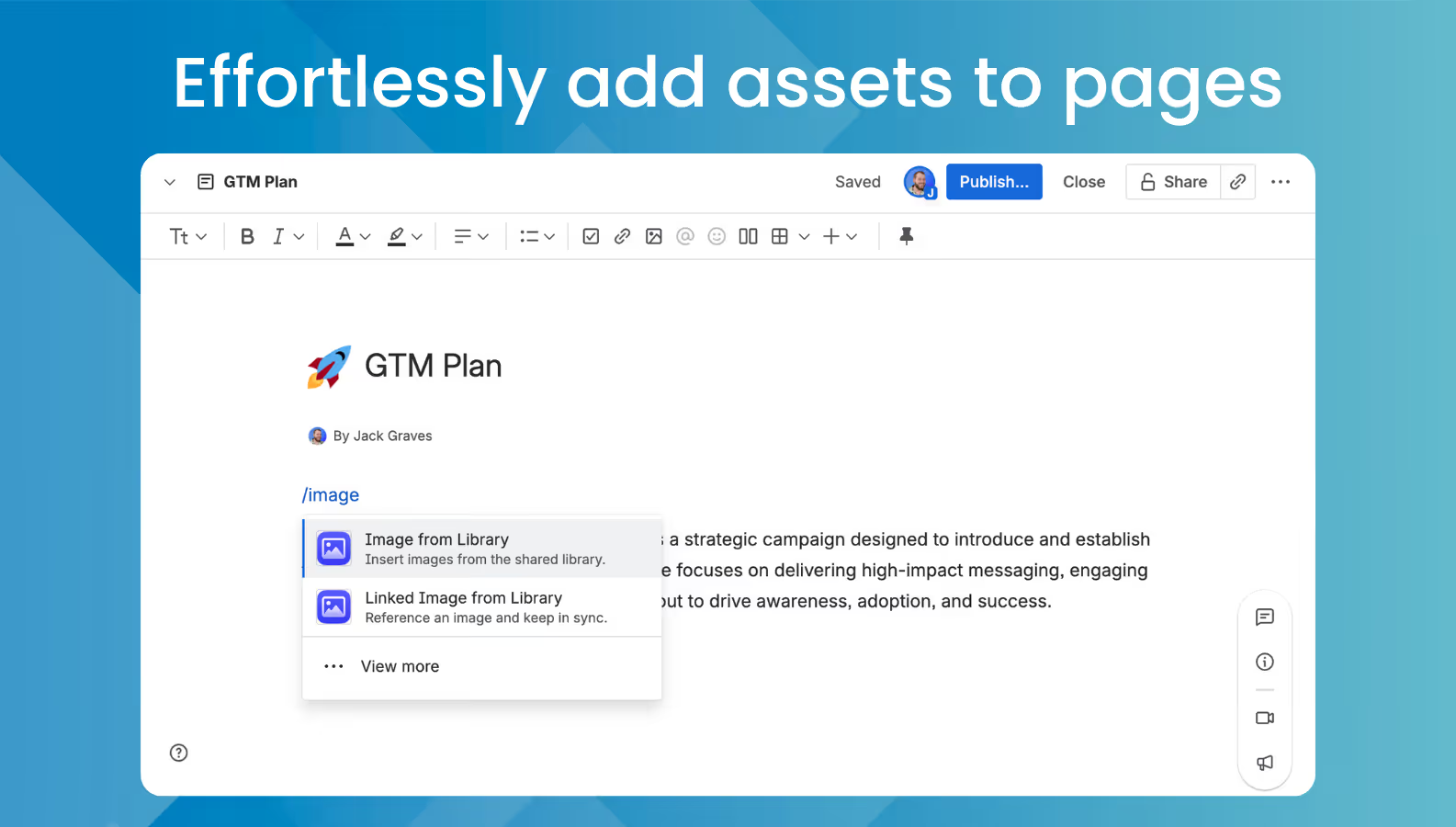
With Capable Image Library, you can store your images, Photoshop, Illustrator, PDF's and more all in Confluence and easily inserted into pages.
You can even reference a centralized asset and update it once, have the change reflected globally.
.avif)
Revenue generated for our customers
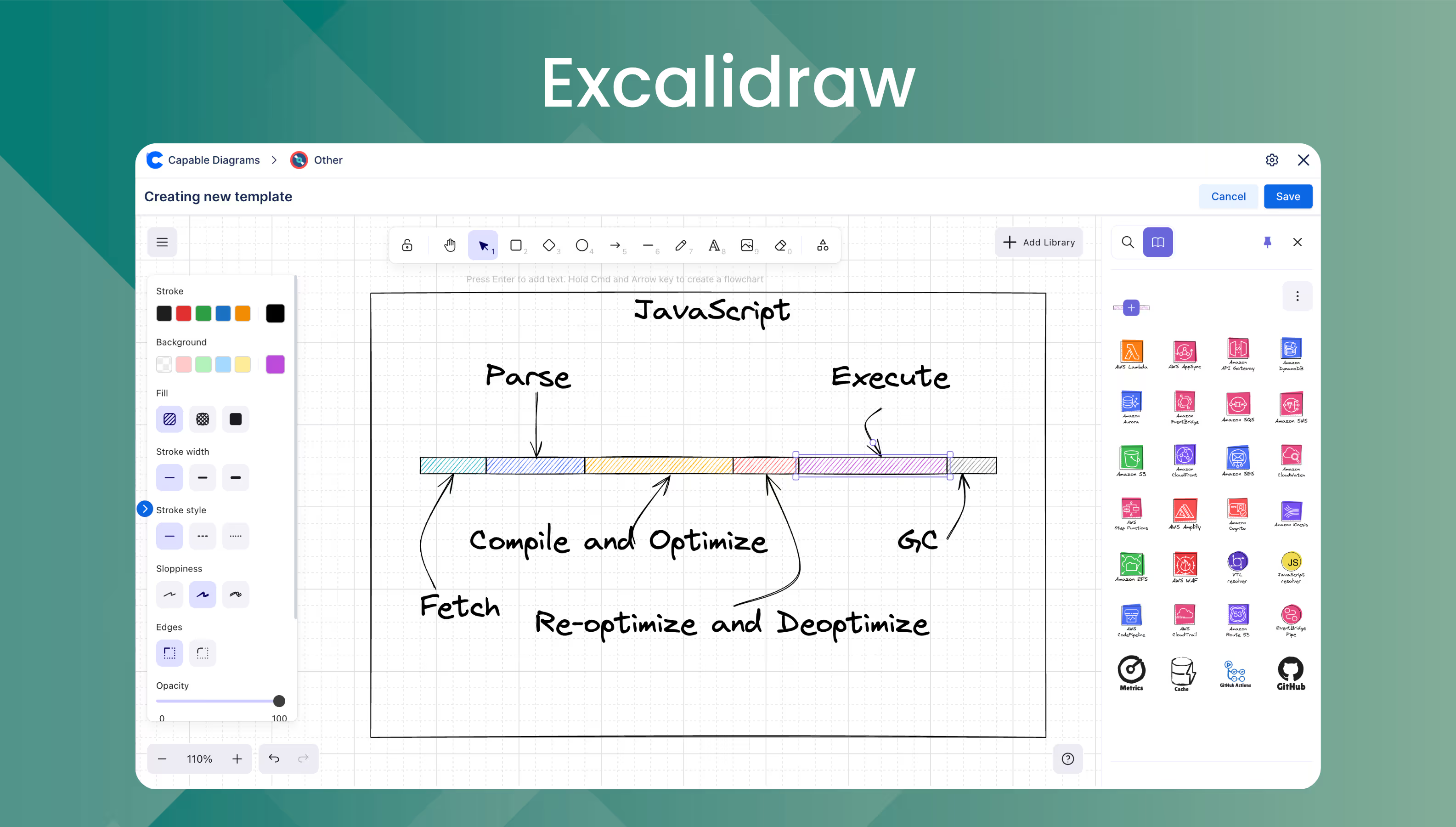
Capable includes Excalidraw and other visual editors, allowing you to effectively plan and execute on creative ideas with draw and image embed support.
.avif)
Revenue generated for our customers
You can create color palettes and embed them on pages, making it easy to get that color scheme looking perfect!
Using Rovo and other AI connectors like MCP you can also use the color palettes in other applications.
Begin by uploading your brand assets to Confluence. Our innovative folder and scope structure allows you to create Global and Space-level folders, making it easy to upload images, PDFs, Adobe Photoshop, and Illustrator files to a central location, ensuring they are instantly accessible to all employees.
Easily drag and drop images from your computer or upload them from your mobile device. Once uploaded, you can download or embed these assets directly onto Confluence pages.

Revenue generated for our customers
By simply typing /image you can choose to insert an image directly onto a page or reference a centrally stored image, allowing you to use it across multiple pages. Update it once, and the changes will reflect everywhere it's used.
This functionality extends to drawings and mockups created within Capable, allowing you to manage and update them seamlessly across multiple pages.
Revenue generated for our customers
Explore a vast library of over 5 million images from Unsplash, perfect for enhancing your content and copy.
Easily find the ideal illustration or photo to complement your page.

Revenue generated for our customers
Capable offers a comprehensive library of macros, including color palettes, galleries, carousels, and cards, which significantly enhance the functionality of your Confluence site.These tools allow teams to create visually appealing and interactive content, making it easier to communicate design concepts and ideas effectively.
By integrating these macros, you can transform static pages into dynamic presentations that engage and inform your audience.
.avif)
Revenue generated for our customers
Capable offers a robust suite of diagram editors, including the versatile Excalidraw editor, which empowers teams to create quick mockups, brainstorm ideas, or design layouts with ease.
These tools are seamlessly integrated into Confluence, allowing users to embed their creations directly onto pages and access them from a centralized browser. This integration not only enhances collaboration but also ensures that all team members have access to the latest designs and concepts, fostering a more cohesive and efficient workflow.
Revenue generated for our customers

%20(800%20x%20200%20px).avif)