


One Diagram, Many Pages: How Referenced Diagrams Keep Your Confluence Docs in Sync
January 26, 2026
There is a particular kind of documentation debt that builds quietly, over months, until it becomes impossible to ignore. An architecture diagram gets created for a design spec. Someone copies it into the runbook. A third team embeds a version in the onboarding guide. Over time, the system evolves - a new service is added, a dependency removed, a naming convention changed - and suddenly three different pages in your Confluence space show three different versions of what is supposed to be the same diagram. Nobody is sure which one is current. Nobody wants to update all three. The documentation becomes unreliable precisely because it tried to be thorough.
This is one of the most common and most quietly damaging problems in team documentation, and it stems from treating diagrams as static content rather than shared references. Capable Diagrams addresses this directly with the Referenced Diagram Macro: a way to embed a single diagram across as many Confluence pages as you need, with every instance automatically reflecting the latest version of the original.
The Copy-Paste Trap
The instinct to copy a diagram is understandable. When you are writing a runbook and need to include the current system topology, the fastest path is to grab the diagram from the architecture page and paste it in. It works immediately. The problem is that the copy and the original are now two independent objects. There is no relationship between them, no mechanism for one to know when the other changes, and no warning when they fall out of step.
For small teams with a handful of documentation pages, manual synchronisation is annoying but manageable. For larger organisations - or any team operating at the pace of a modern engineering or product function - it becomes untenable. A platform team maintaining shared infrastructure may have the same architecture diagram referenced in a dozen different spaces: onboarding docs, incident response playbooks, API references, quarterly planning pages, and more. Keeping all of those in sync manually is not just tedious, it is a job in itself.
The cost is not limited to the maintenance burden. It is also the erosion of trust. When team members encounter conflicting diagrams, they start to doubt all of the documentation. They go looking for the "real" version, often by asking a colleague - which defeats the purpose of having written documentation in the first place.
How Referenced Diagrams Work
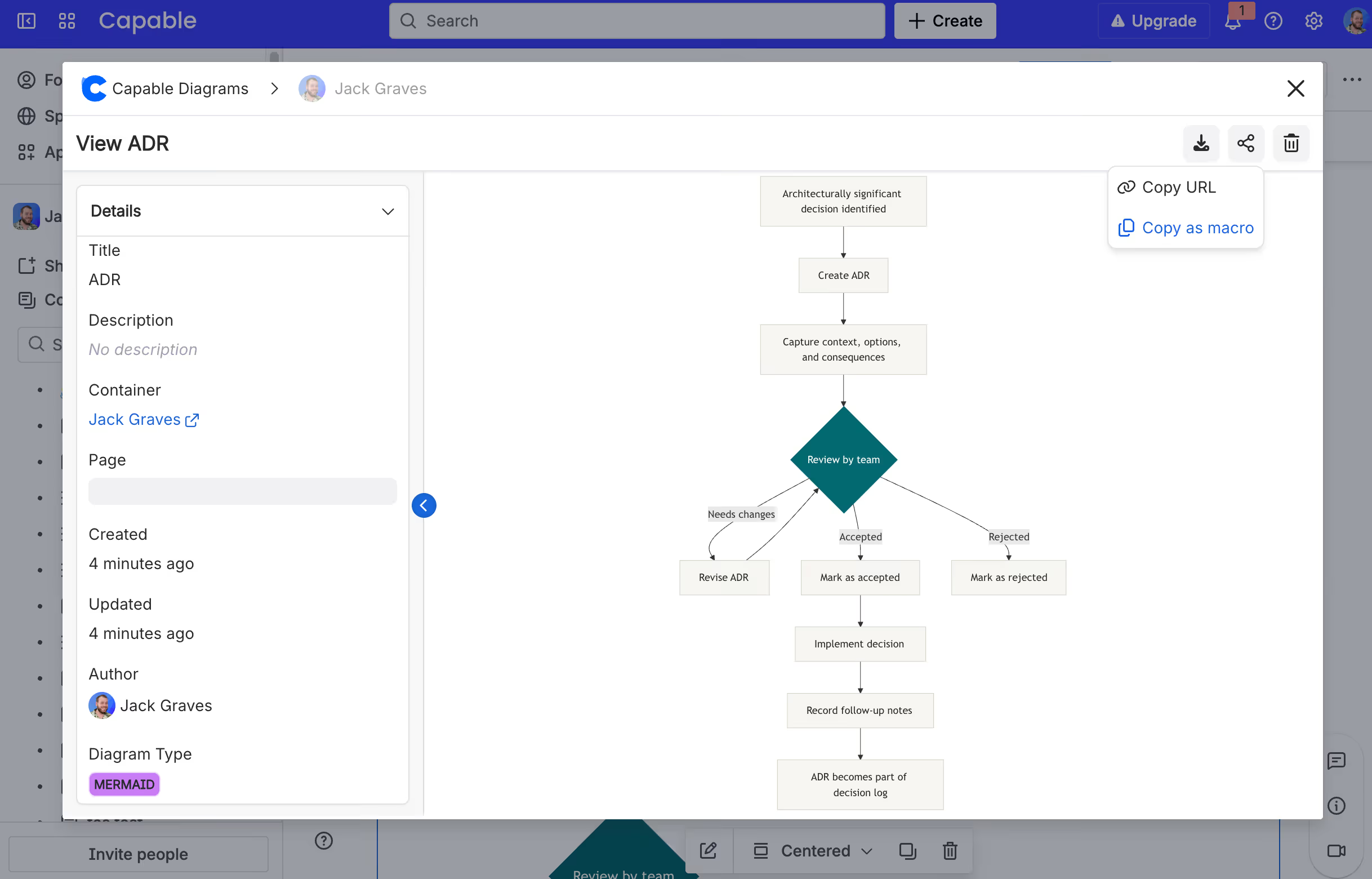
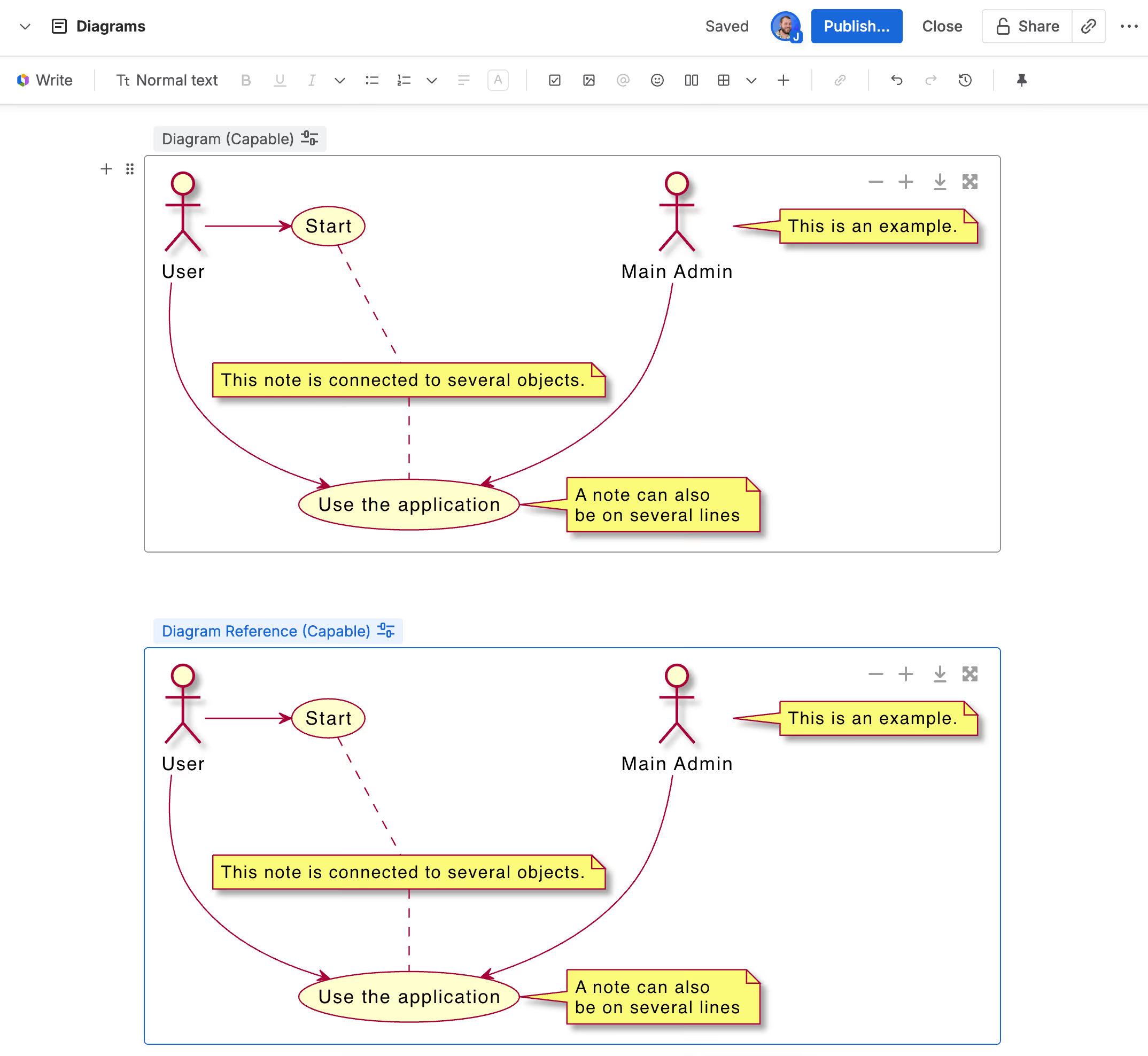
The Referenced Diagram Macro in Capable Diagrams inverts the copy-paste model. Instead of duplicating diagram content onto a new page, you insert a reference to the original diagram. The macro points to a single source of truth - the diagram as it exists on its home page - and renders it inline wherever you place the macro. When someone updates the original, every page that references it immediately shows the updated version. There is no manual synchronisation step, no diffing between copies, and no risk of versions drifting apart.
This is a meaningful shift in how you think about diagram placement in Confluence. Rather than asking "where should this diagram live?", the answer becomes "it lives in one place, and you reference it everywhere else." The home page might be a dedicated architecture space, a team's technical standards page, or a canonical system design document. Everywhere that diagram needs to appear, it appears - but there is only ever one diagram to maintain.
A Real-World Scenario: Platform Engineering Documentation
Consider a platform engineering team responsible for a shared data pipeline. Their pipeline architecture is documented on a central page in their team space. That diagram is authoritative - it shows the current state of producers, consumers, transformation layers, and data stores.
Over time, that same diagram needs to appear in several places: the new joiner onboarding guide uses it to orient engineers to the overall system; the incident response playbook uses it to help responders understand blast radius during an outage; the quarterly review page links to it as evidence of infrastructure evolution; and a data governance page uses it to annotate which components handle regulated data.
Without referenced diagrams, each of those pages holds a static copy. When the team migrates from one message broker to another, someone has to remember to update five separate pages. One invariably gets missed. The incident response playbook goes stale without anyone noticing - until the moment it matters most.
With the Referenced Diagram Macro, the team updates the diagram once on the source page. All five pages reflect the updated architecture immediately. The onboarding guide is current. The playbook is accurate. The governance page reflects the real system. The team's attention stays on the work, not on maintenance.
Beyond Architecture: Other High-Value Use Cases
The same logic applies to any diagram that spans multiple documentation contexts. Process flow diagrams used in both a team wiki and a client-facing handbook benefit from centralised control. Org charts embedded in department landing pages and HR documentation should always reflect the same structure. Roadmap diagrams shared across product, engineering, and executive spaces should never diverge.
The Referenced Diagram Macro is also particularly useful for teams that manage documentation across multiple Confluence spaces. With a single referenced source, a platform team can expose their infrastructure diagrams to dependent product teams without granting those teams edit access to the source page. The diagram travels across spaces, but ownership stays where it belongs.
Teams that maintain living documentation - wikis and knowledge bases that are updated continuously rather than published once - find the most value here. Any diagram that is likely to change more than once in its lifetime is a candidate for referenced embedding rather than direct copy.
Making It Part of Your Documentation Practice
The Referenced Diagram Macro works best when combined with a clear convention about where canonical diagrams live. Teams that benefit most from this approach typically designate a home for each diagram type - architecture diagrams in the engineering space, process flows in the operations wiki, org charts in the people space - and then use the macro to reference them everywhere else. This creates a predictable structure that makes diagrams easy to find, easy to update, and impossible to accidentally fork.
If your team has already accumulated a collection of duplicated diagrams across Confluence, migrating to a referenced model does not require a big-bang cleanup. Start with the diagrams that change most frequently - system topologies, active workflows, team structures - and establish the canonical source. Use the Referenced Diagram Macro to replace copies as you encounter them. Over time, your documentation becomes self-maintaining in a way that no manual process can match.
To explore the Referenced Diagram Macro and the full range of diagram types available in Capable Diagrams, visit the Capable Diagrams help centre or install the app directly from the Atlassian Marketplace.
Capable Diagrams is part of the Capable suite of apps for Confluence Cloud - helping teams plan, document, and collaborate without leaving the tools they already use.
.avif)






%20(800%20x%20200%20px).avif)