


Why Text-Based Diagrams Deserve a Place in Your Confluence Workflow
February 11, 2026
Why Text-Based Diagrams Deserve a Place in Your Confluence Workflow
Most teams start their diagramming journey the same way - dragging shapes onto a canvas and connecting them with arrows. It is intuitive, visual, and familiar. But as documentation scales across engineering teams, architecture reviews, and cross-functional projects, a different approach starts to shine: text-based diagramming. Writing a diagram in code might sound counterintuitive, but for teams that care about maintainability, consistency, and speed, it can transform how knowledge lives inside Confluence.
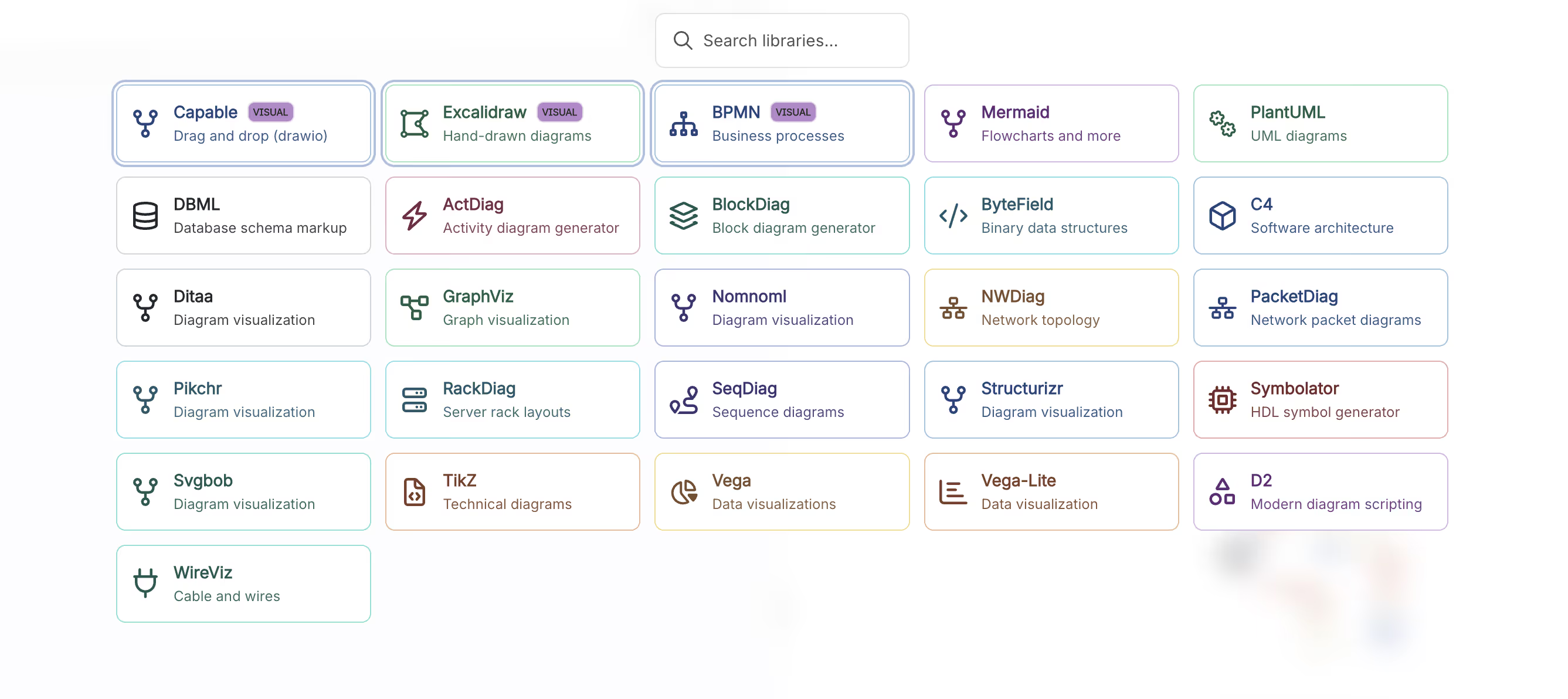
Capable Diagrams supports over 23 diagram formats, and many of the most powerful ones - Mermaid, PlantUML, C4, DBML, D2, GraphViz, and more - are text-based. That means your diagrams are defined in plain text, rendered automatically, and stored in a format that is easy to review, update, and reproduce. For teams already working in Confluence, this opens up a workflow that is faster, more collaborative, and far less fragile than traditional drag-and-drop approaches.
The Problem with Pixel-Perfect Diagrams
There is a hidden cost to visual-first diagramming. When a diagram is built entirely by hand - every box placed, every line drawn, every label positioned - it becomes difficult to update. Someone changes a service name or adds a new dependency, and suddenly the diagram needs careful rearrangement to avoid looking cluttered. Over time, these diagrams drift out of date because the effort to maintain them outweighs the perceived value.
This is especially true in fast-moving engineering teams. Architecture evolves sprint by sprint. Data models gain new fields. Deployment pipelines add stages. If updating a diagram takes ten minutes of careful dragging and aligning, it will not get updated. The diagram becomes decoration rather than documentation - something people glance at but no longer trust.
How Text-Based Diagrams Change the Game
With text-based diagrams in Capable Diagrams, you describe what a diagram contains rather than how it looks. A Mermaid sequence diagram, for instance, is just a few lines describing participants and their interactions. A C4 model defines systems, containers, and components in structured text. The rendering engine handles layout, spacing, and styling automatically.
This has several practical advantages for Confluence teams. First, updates are fast. Changing a label or adding a new node takes seconds - you edit a line of text and the diagram re-renders. There is no need to reposition anything. Second, the source of the diagram is readable. Anyone reviewing a Confluence page can understand the structure of a Mermaid flowchart just by reading its definition, even without the visual output. Third, text-based diagrams are inherently diffable. When you look at version history in Confluence, you can see exactly what changed in the diagram's definition, not just that "the image looks different."
For teams using Capable Diagrams inside Confluence, switching between visual and text-based editing is seamless. You can start with an Excalidraw-style visual editor for early brainstorming, then shift to Mermaid or PlantUML when the diagram needs to be precise and maintainable. Both approaches live inside the same macro, on the same page, with the same version history.
Picking the Right Language for the Job
One of the strengths of Capable Diagrams is that you are not locked into a single syntax. Different diagram languages serve different purposes, and choosing the right one makes your documentation clearer without extra effort.
Mermaid is an excellent default for most teams. It handles flowcharts, sequence diagrams, Gantt charts, class diagrams, and state diagrams with a syntax that is easy to learn. If you are documenting a user workflow or an API interaction, Mermaid gets you from idea to published diagram in minutes. PlantUML is a strong choice for more detailed UML work - class hierarchies, activity diagrams, and deployment views where you need finer control over notation. For architecture documentation, C4 diagrams provide a structured way to describe systems at multiple levels of abstraction, from a high-level context view down to individual components.
For database teams, DBML and ERD support means you can define your schema relationships directly in Confluence, keeping data model documentation alongside the rest of your project knowledge. D2 and GraphViz offer powerful options for custom graph layouts when standard diagram types do not quite fit. The point is not to learn all 23 formats - it is to know that the right tool exists when you need it, and that Capable Diagrams will render it natively inside your Confluence page.
A Practical Example: Architecture Decision Records
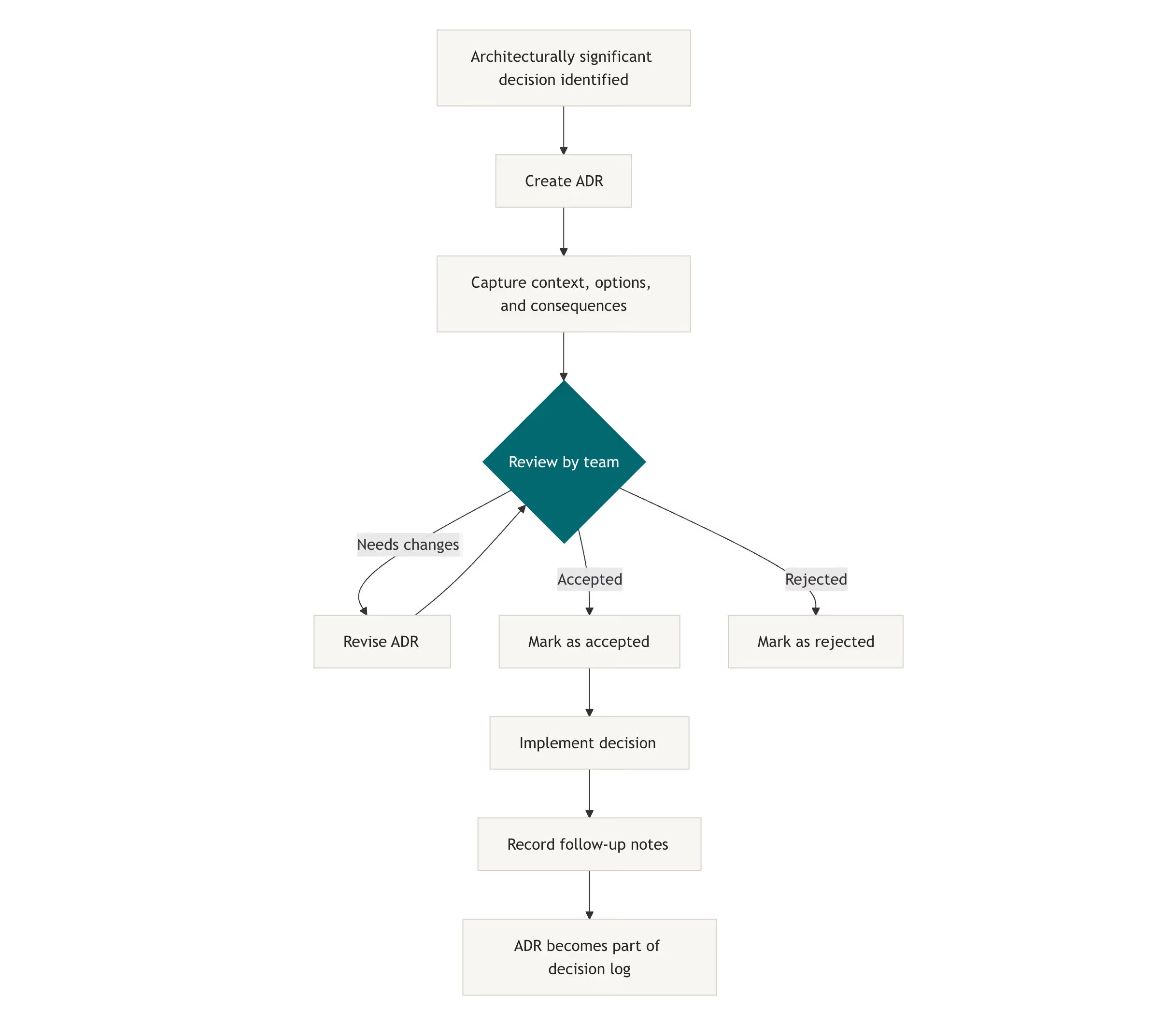
Consider a common scenario. Your team maintains Architecture Decision Records in Confluence - pages that capture why a particular technical choice was made. These pages often include a diagram showing the system context or the components affected by the decision.
With text-based diagrams, the diagram lives as part of the page content in a way that is easy to copy, modify, and extend. When a future team member revisits the ADR and the architecture has evolved, they can update the diagram in seconds by editing the text definition. They do not need to find the original author, locate a source file, or reverse-engineer how the shapes were arranged. The diagram is self-contained, editable by anyone, and always in sync with the narrative around it.
This workflow becomes even more powerful when combined with other Capable tools. You might use Capable Markdown to write the ADR itself in Markdown, embed a Mermaid diagram inline, and then route the page through Capable Approvals for sign-off. The entire decision record - text, diagram, and approval status - lives on a single Confluence page with no external dependencies.
Getting Started Without Overhauling Your Process
Adopting text-based diagrams does not require a wholesale change in how your team works. A good starting point is to pick one recurring diagram type - maybe sequence diagrams for API documentation or flowcharts for onboarding workflows - and try writing it in Mermaid the next time it needs an update. Capable Diagrams includes AI-powered suggestions that can help you get started with Mermaid syntax, reducing the learning curve significantly.
Over time, you will likely find that certain diagram types naturally migrate to text-based formats because they are updated frequently, while others stay visual because they are created once and rarely change. That is perfectly fine. The value of Capable Diagrams is that both approaches coexist inside the same tool, on the same Confluence pages, without any friction.
The best documentation is the kind that stays current. Text-based diagrams lower the barrier to keeping visual content accurate, which means your team spends less time recreating diagrams and more time building the systems they describe.
Capable Diagrams is part of the Capable suite of apps for Confluence Cloud - helping teams plan, document, and collaborate without leaving the tools they already use.
.avif)






%20(800%20x%20200%20px).avif)