


Confluence Databases: Power User's Guide for 2026
April 21, 2026
Ask a team using Confluence to show you their "important structured data" and you will almost always get the same three things. A long, laminated table inside a wiki page with merged cells that broke three quarters ago. A Google Sheet pinned at the top of the page with a tab called "current" that has not been current since February. Or a Jira Epic with eighty-seven linked issues, no filtering, and a view that nobody has opened in months.
None of these are where structured data should live in Confluence in 2026. Confluence Databases are.
If you have not looked at databases seriously since they launched, they are worth looking at again. Atlassian has been shipping against them patiently for most of the past eighteen months, and the feature set has quietly crossed the line from "interesting prototype" to "primary workspace primitive." This post is a working field guide from a team that runs on them.
What a database actually is, in one paragraph
A Confluence Database is a typed, queryable data store that lives alongside your pages. It is not a macro. It is not an attached file. It is a first-class object in your content tree, with its own URL, its own permissions, and its own views. You populate rows ("entries"), fields are typed (text, number, date, select, multi-select, link, user, Jira issue, and a growing list of others), and any view of the data can be embedded wherever a Smart Link embeds, which is almost everywhere.
The closest mental model is a Notion database or an Airtable base, scoped into Confluence rather than bolted onto it. That similarity is deliberate, and it is now deep enough to be genuinely useful.
Where databases beat the alternatives
Teams try to avoid databases for two reasons. The first is that "we already have a table" feels like a solved problem until you need to edit the same data in three places. The second is that "we already have Jira" feels like it covers structured work until you try to model anything that is not a ticket, a sprint, or an epic.
Databases clear both complaints, and they clear them well.
For the first problem, a database replaces a page-bound table with a shared dataset. The dataset is the canonical version. Views on top of it are projections. If your project status page, your ops dashboard, and your weekly email all need to see the same risks filtered and sorted differently, they all point at the same database and render a different view. Change the underlying row once, and every view that contains it updates.
For the second problem, a database handles things Jira was never designed for gracefully. Vendor registers. Competitive intelligence. Hiring pipelines. Compliance evidence logs. Event tracking. Content calendars. Recipe boxes for SOPs, where every row is a procedure with a linked runbook. Jira is excellent for issues, but a great deal of operational data is not issues, and a great deal of it ends up in spreadsheets by default simply because nobody wanted to build a new tool.
The features teams don't realise they have
A working tour, in rough order of how often they pay off.
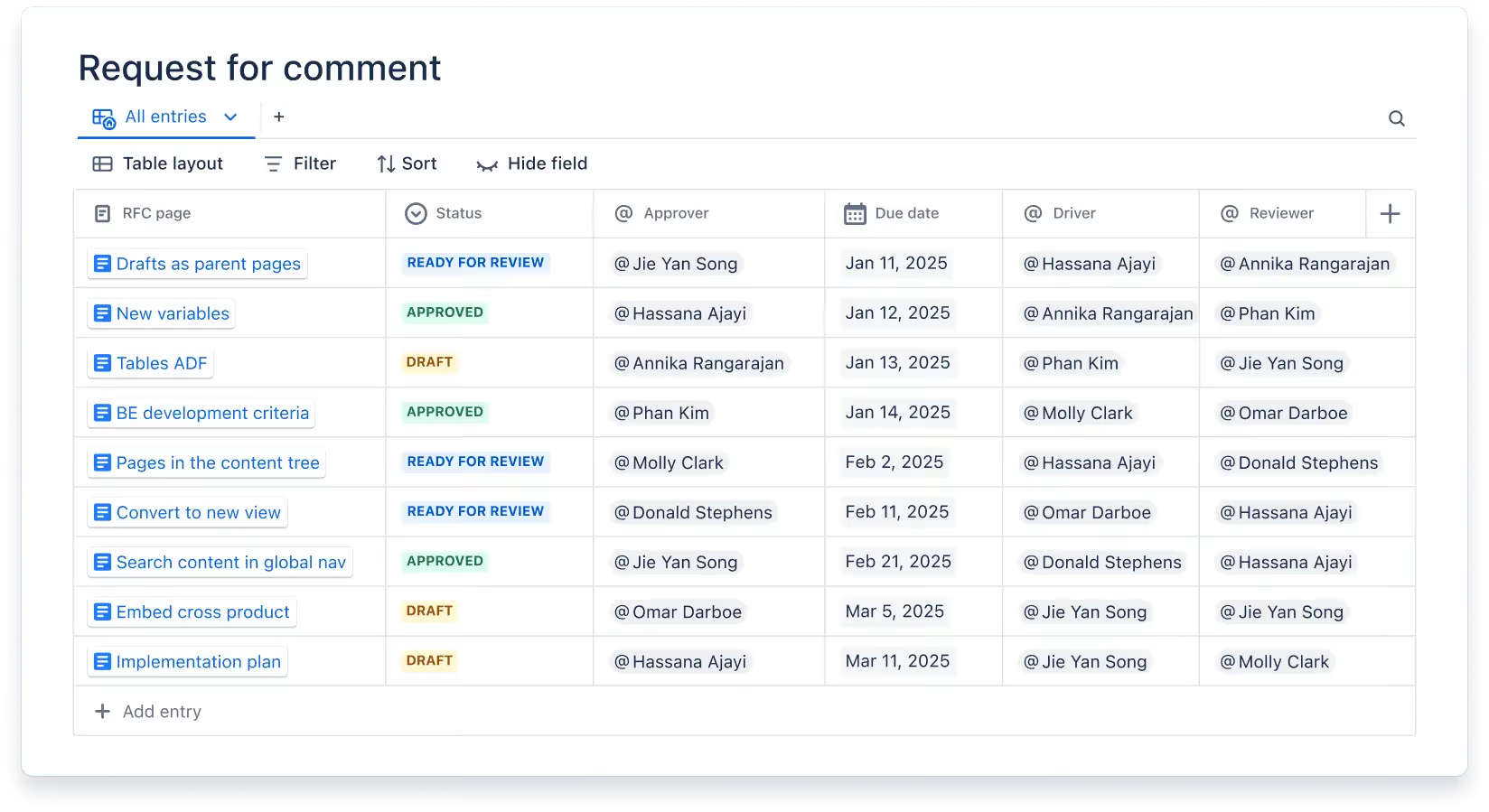
Multiple views over the same data. A single database can be displayed as a table, a board (Kanban-style), a card grid, or a gallery. Each view has its own filters, sorts, and visible fields. The table view for project management, the board view for the same rows grouped by status, the card view for the same rows filtered to "in review," all pointing at one dataset. This is the feature that quietly changes how structured content lives in Confluence. Instead of one report and a folder of copy-paste screenshots, you have one source and many surfaces.
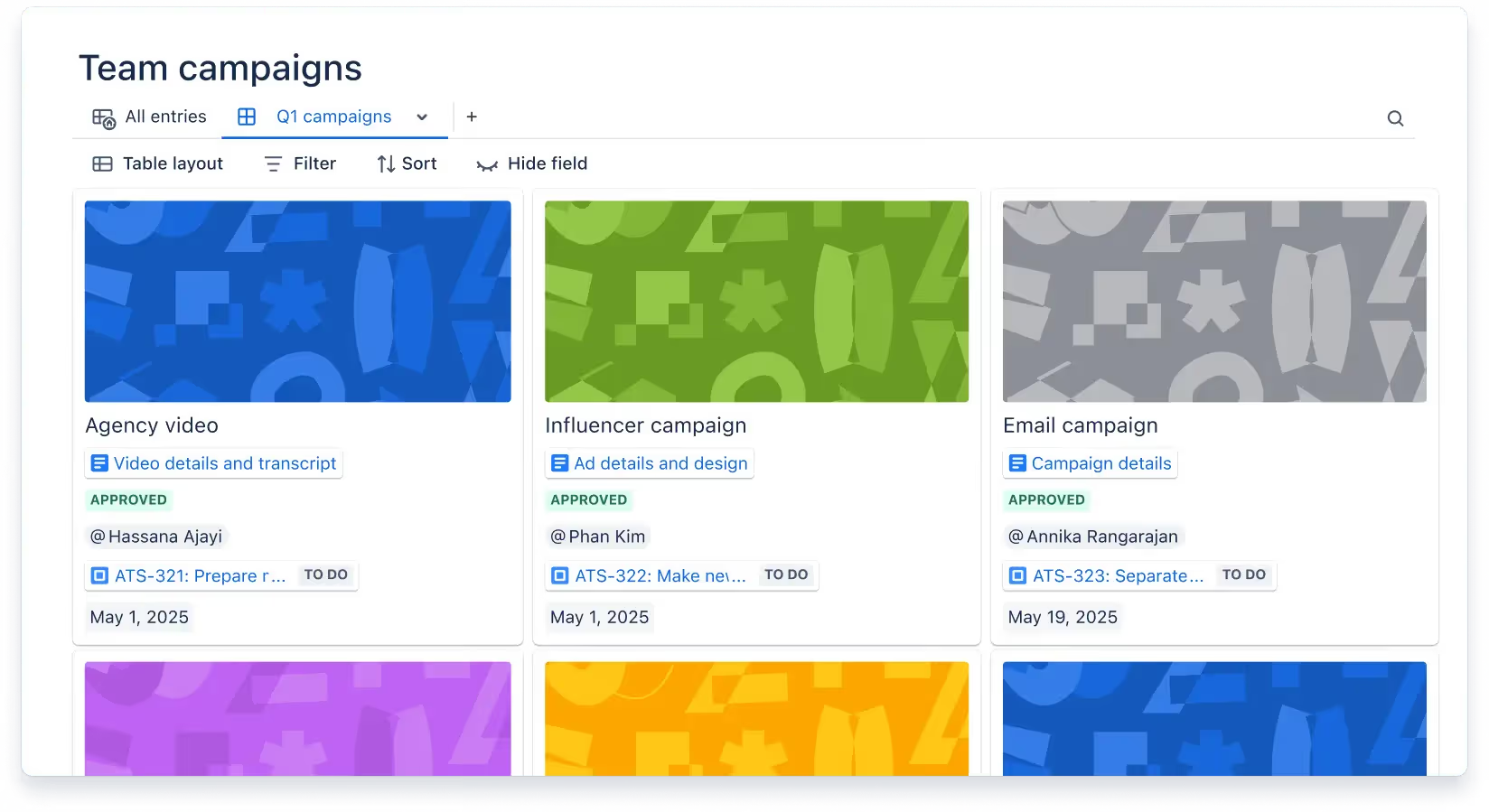
Smart Links inside fields. A link field in a database does not render as a blue URL. It renders as a Smart Link, which means a Jira issue shows up as a typed pill with a status, a Figma file shows as a thumbnail, a Loom video as a play button, and a Google Doc as a preview card. Databases become a hub for cross-tool content in a way that a vanilla table never can. A project row can carry its Jira epic, its design file, its spec page, its retro board, and its demo recording in five clean fields.
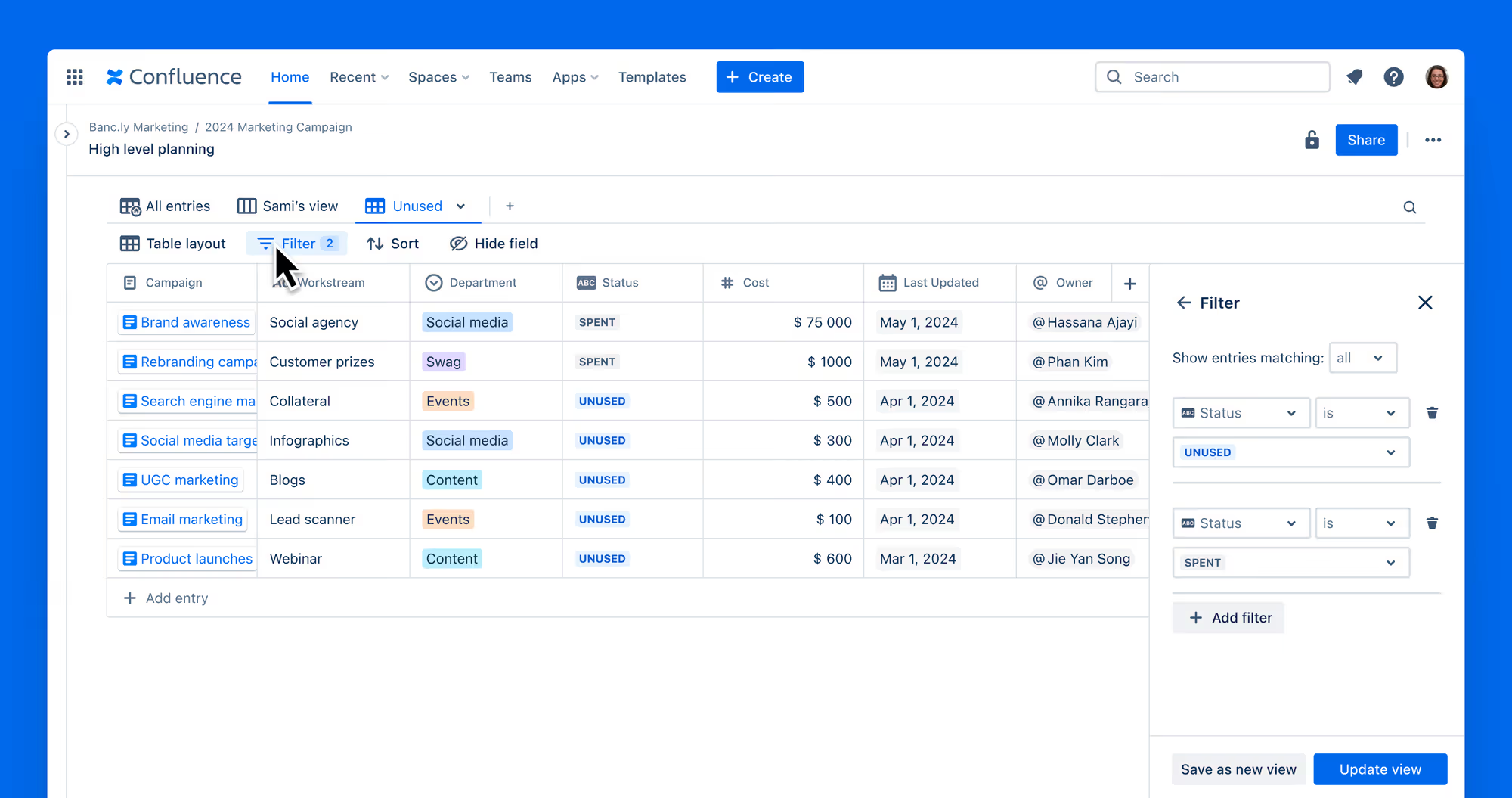
Filtering with logic, not just keywords. Any field can be used to filter a view, including compound filters with AND/OR logic, and you can save those filters as named views. "Risks owned by me, opened in the last thirty days, status not Done" is one view. "Features targeted for the next release, across every team" is another. You build a view once, share its link, and new joiners immediately see the same slice you do.
Embedding a view anywhere. A database view has its own URL, and that URL behaves as a Smart Link. You can paste it into a Confluence page, into a different database, into a Jira ticket description, into a Slack message. The embed is live. People reading the page see the current data, not a screenshot that went out of date the moment you took it.
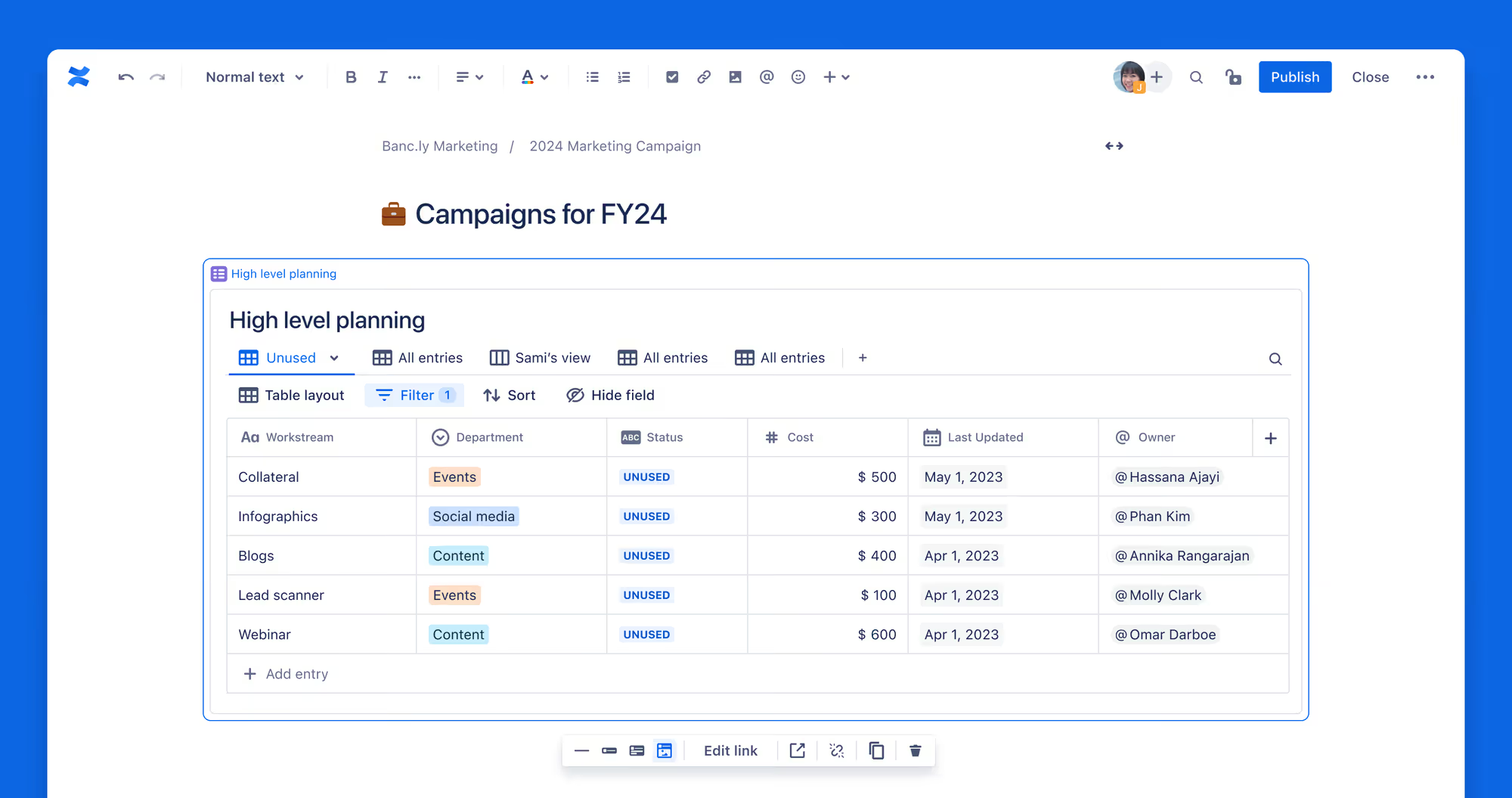
Inline editing from any surface. You can edit a row from inside the embed, without leaving the page. For most teams the single biggest behavioural shift is that the "structured data" page stops being a read-only dashboard and starts being a working surface. Status gets updated on the same page it gets reported.
What databases are not (yet)
They are not a spreadsheet. There are no cell formulas, no SUMIF, no pivot tables. If your workflow is "compute a weighted score across fifteen rows and chart it," you will hit the wall quickly.
They are not permissioned at the row level. Databases inherit space-level permissions. A database in a public space is a public database. You cannot show Marketing one set of rows and Finance another by default. This is a real gap for regulated environments, and it is the main reason some teams still keep spreadsheets around for sensitive data.
They are not yet fully indexed by Rovo. As of April 2026, Rovo's search can surface databases as objects, but the contents of database entries are not always returned when you ask Rovo a question across your workspace. Atlassian has been shipping steadily against this, and the gap is narrowing, but it is worth knowing if your team uses Rovo as a universal search layer. A small workaround: keep a summary page per database that lives in plain prose, so Rovo has something to return when someone asks about the content.
They do not expire, archive, or approve themselves. A database entry lives forever unless someone deletes it. This sounds fine until your vendor register has four hundred entries, half of which are organisations that stopped existing in 2023. Databases give you structured storage. They do not give you governance. Pair them with automation rules where you can, and with formal approvals where you must.
Five patterns worth stealing
Specific ways high-functioning teams use databases that are worth borrowing today.
The decision log. One row per decision, fields for decision, date, owner, context, linked proposal page, linked meeting notes. A filtered view by team drives onboarding. A view filtered to "last ninety days" drives the monthly review. Over two years, the database becomes the most valuable single asset the team has, which is worth saying out loud: most decisions made in most companies are lost within a year, and a decision log is the single highest-leverage artefact most teams never build.
The competitor tracker. One row per competitor, fields for segment, positioning, pricing tier, recent launches (a multi-select), linked teardown docs, linked sales intel. Product and marketing get the same view. Sales enablement gets a filtered view. Updates happen in one place. Your competitive intelligence stops being five different spreadsheets owned by five different people.
The evidence log for compliance. One row per control, fields for framework (SOC 2, ISO 27001, FDA), last reviewed, owner, linked evidence document, next review date. A board grouped by framework. A filtered view of "controls reviewed in the last ninety days" drives the auditor meeting.
That last caveat is worth pulling out. Databases are excellent at tracking structured information. They are not built for the governance layer on top. At Capable we see this routinely: teams build a beautiful evidence log in a database, then realise they need audit-grade approvals, expiry, and reviewer thresholds on top of the entries. That is where Capable Approval fits, sitting beside the database rather than competing with it. Databases store the data. Capable Approval governs the sign-off. Together they give you something an auditor will actually accept.
Workflow optimisations to put in this week
Three concrete moves, in ascending order of effort.
One. Pick a single table that everyone copy-pastes. Every team has one. Replace it with a database. Pick three fields that should be typed, add them, and rebuild the table as a database view. The immediate payoff is that the next person who needs to update the data does so in one place.
Two. Add a second view to that database. If the first view is a table, make the second a board. If the first is a board, make the second a filtered table for the current week. You will not believe how quickly people start asking for view number three.
Three. Reference a database from a page. Embed a specific view of it on the project overview page, filtered to rows relevant to that page. That single move converts a static overview page into a live status page, and it converts the database from "a thing over there" into "the thing you work in every day." Once that happens, people add data to it naturally, because it is where the data actually needs to live.
Where databases meet Capable
The honest framing. Databases are good at structured storage, typed fields, filtered views, and embedding live data into the places where it gets read. They are not a governance layer, they are not a publishing layer, they are not a visual asset manager, and they do not model everything that shows up in real operational work.
Where databases end and Capable picks up.
Approvals and audit. Capable Approval handles the sign-off, expiry, and audit-trail layer that databases do not. A database row marked "approved" is a free-text field. An approval event in Capable is a signed, logged, tamper-evident record with reviewer thresholds and expiry rules. Teams under SOC 2, ISO, or regulated frameworks need the second.
Visual asset management. Databases can reference images via Smart Link, but they are not an image library. If your team maintains hundreds of screenshots, logos, and diagrams that need to be reused across pages, versioned, annotated, and swapped in one place, Capable Image Library is the right tool, and it works naturally alongside databases rather than trying to replace them.
Release and publishing calendars. Databases do calendar views. They do not coordinate the actual release cycle, the embargo, the content freeze, the publish queue. Capable Calendar fits here, giving teams a shared calendar surface that treats releases, publishing, and events as first-class objects with their own permissions and notifications.
Diagrams that are not flowcharts. A reference to a diagram file inside a database row is fine. Authoring serious architecture diagrams, C4 models, BPMN, or UML is not a database problem. Capable Diagrams sits alongside the database for that.
Publishing outside Confluence. A database view is still a Confluence object. If the data needs to reach a customer-facing portal, a partner site, or a public knowledge base, Capable Publisher (and Capable Sites) pick up the external surface.
The shortest way to say it: Confluence Databases are a genuine upgrade to the platform's storage and query story. Capable is the operational layer around them, the governance, the visual assets, the scheduling, the external publishing, the specialist tools that databases were never trying to be.
The larger point
Most of what separates a team that is fluent in Confluence from a team that merely uses it is not the number of features they know. It is which primitives they reach for. A team that reaches for pages-with-tables for everything is working against the platform. A team that reaches for pages, databases, synced blocks, whiteboards, and Smart Links depending on the shape of the thing they are modelling is working with it.
Databases are worth learning because they unlock an entirely different kind of Confluence. One where structured data is first-class, views are cheap, and the canonical version of any dataset lives in exactly one place. The payoff shows up not in any single feature, but in the slow disappearance of all the small ways your team's knowledge used to drift apart.
If you have been meaning to try databases properly and never found the hour, this week is the week. Pick the most-copied table in your workspace. Move it. Watch what happens.
.avif)





%20(800%20x%20200%20px).avif)
