

.png)
Introducing Capable Sites for Confluence
June 9, 2026
Your team's most valuable content already lives in Confluence. The product documentation. The runbooks and SOPs. The help articles your support team writes as they close tickets. The partner enablement material. The onboarding guides. The writing is done, the structure is there, and people inside your instance rely on it every day.
But the instant that content needs to reach someone outside Confluence - a customer searching for an answer at 11pm, a partner who needs the latest enablement deck, a new hire who isn't provisioned yet, a search engine, an AI assistant - it hits a wall. The knowledge is excellent. It's just trapped.
Great content trapped inside Confluence, invisible to the people outside who need it
Capable Sites generates a fast, fully static website - with search, custom domains, and SEO built in - straight from Confluence. This post walks through the specific problems it solves and how the whole thing fits together.
The real problems it solves
Capable Sites isn't "another way to share a page." It removes a set of problems that every Confluence-heavy team eventually runs into.
Your best knowledge is invisible to outsiders
Confluence is built for the people inside your instance. That's the point - and also the limitation. The moment you want to serve customers, partners, prospects, or the public, there's no clean front door. People who'd happily self-serve end up filing tickets, emailing your team, or simply not finding the answer. Capable Sites gives that internal knowledge a public (or gated) front door, so the work your team already did starts paying off outside the wiki.
Public Confluence pages don't look like you
Sharing raw Confluence externally exposes the Atlassian interface, can't carry your brand, and isn't built for a real reader experience or for being found in search. It reads as "an internal tool someone left the door open on" - not as your product.
Capable Sites produces a properly branded, responsive website: your colors, your logo, your domain, with built-in navigation and search.
Content breaks when it leaves Confluence
When teams do manage to export content, the rich parts - diagrams, approval badges, formatted panels - usually fall apart. That's a special problem for Capable customers, whose pages are full of exactly those macros.
Capable Sites converts your Capable macros to static HTML on publish, so the visuals survive the trip. More on that below.
How Capable Sites works
The mental model is simple: Confluence is your CMS, Capable Sites is the publisher.
How Capable Sites works - Confluence spaces flow through the Capable Sites engine and out to a live, static website
Your pages are fetched from the spaces you scope to a site, converted to static HTML, and served - fast, secure, with nothing to run on your side. Here's the loop end to end.
1. Create a site
Open the Sites section in the Capable app and click Create Site.
Give it a name and you immediately get a free capable-sites.com subdomain to publish to - you can configure your own custom domain later on.
2. Choose your scope
Point the site at one Confluence space or several. The pages in those spaces become the pages on your site; everything outside the scope simply doesn't exist on the published side. This is also your privacy boundary - nothing gets published that you didn't explicitly assign.

3. Theme it to your brand
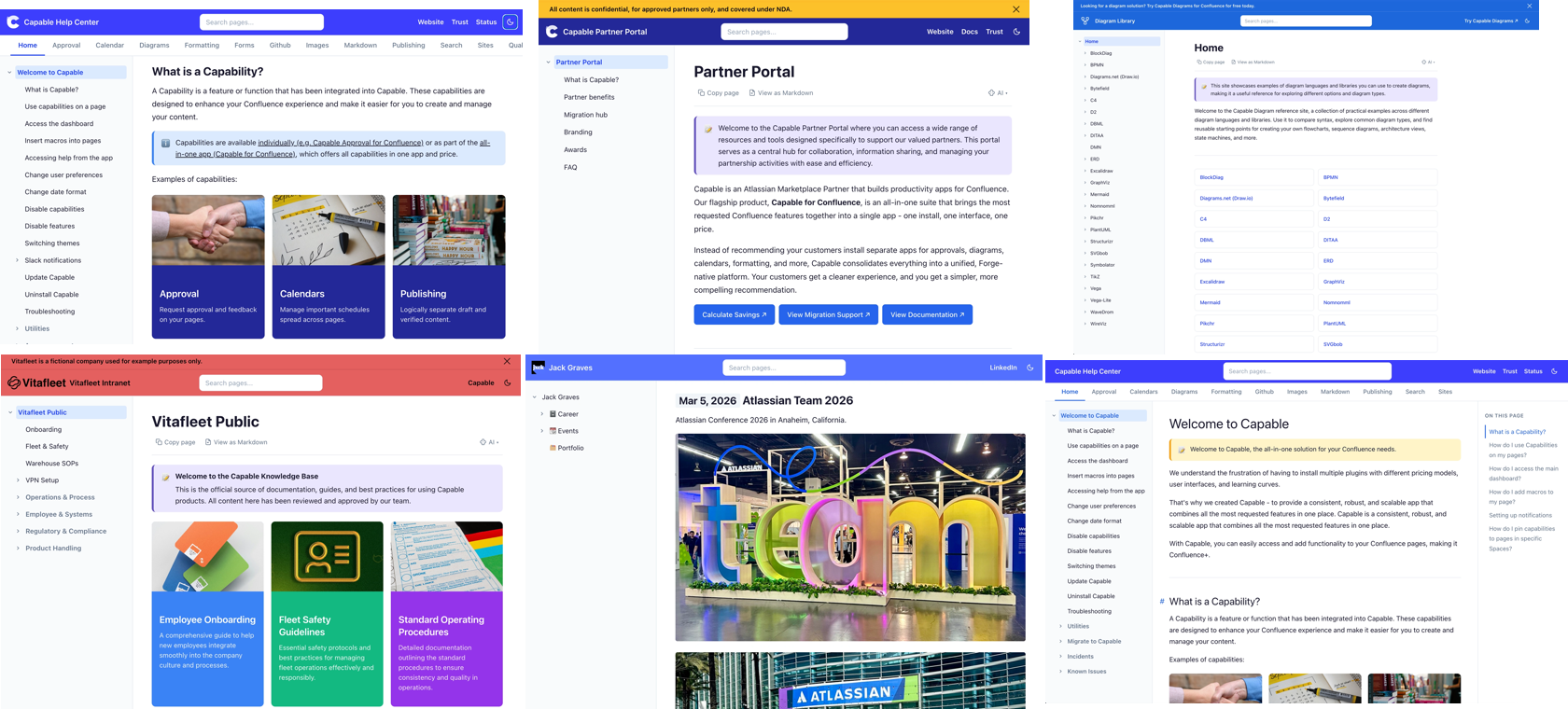
Open Theme & Branding and set colors, logo, fonts, and a light/dark default. Add header links back to your app, your main site, or a support form. This is the step that turns "a Confluence export" into your site. Every site also ships responsive out of the box - a header with search and a theme toggle, a page-tree sidebar, a table-of-contents sidebar, and a footer. You can check out the examples on our documentation site.
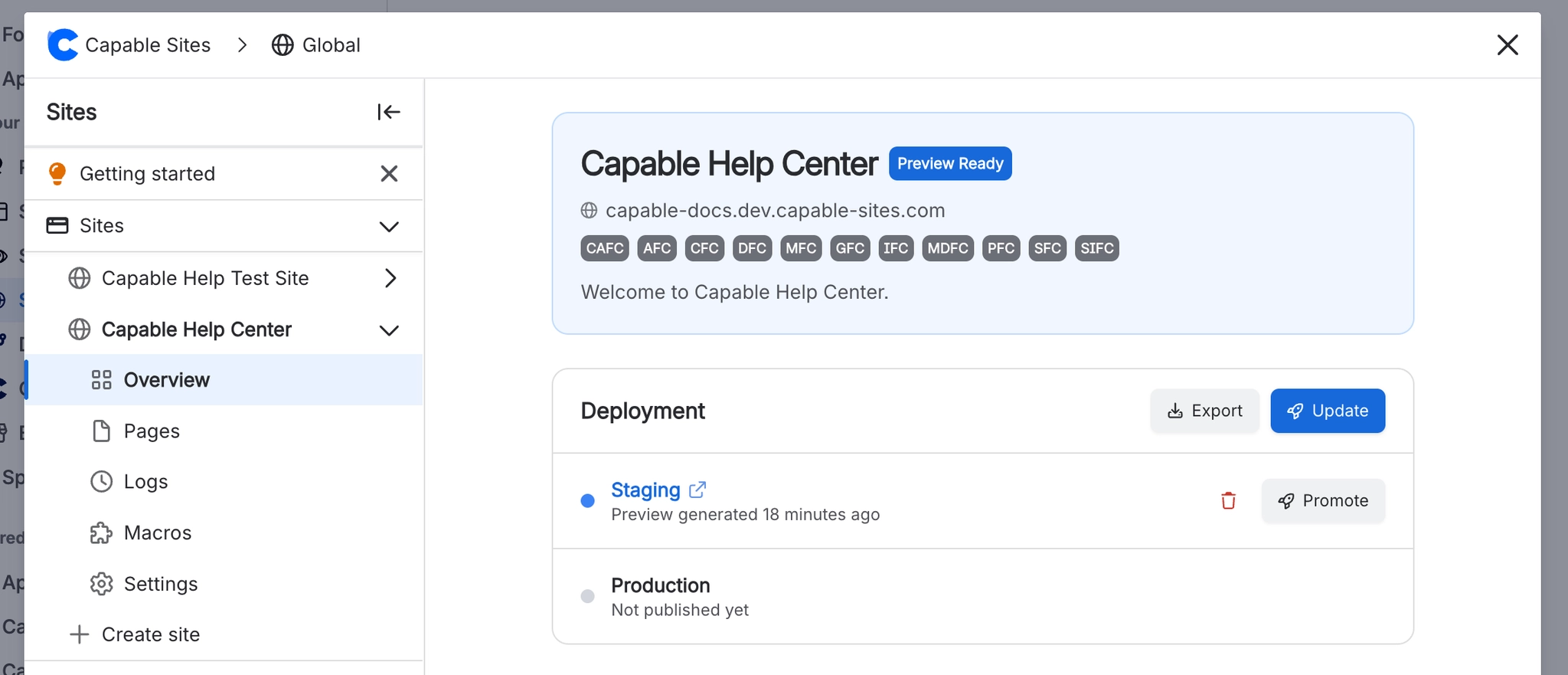
4. Stage, then publish
Capable Sites separates staging from production. You stage a private preview, check it looks right, then promote to production. Nothing goes live by accident, and as your content evolves you simply restage and republish. That's the entire loop. Writers keep working in Confluence; the site regenerates from what they write.
Public or gated - the same product
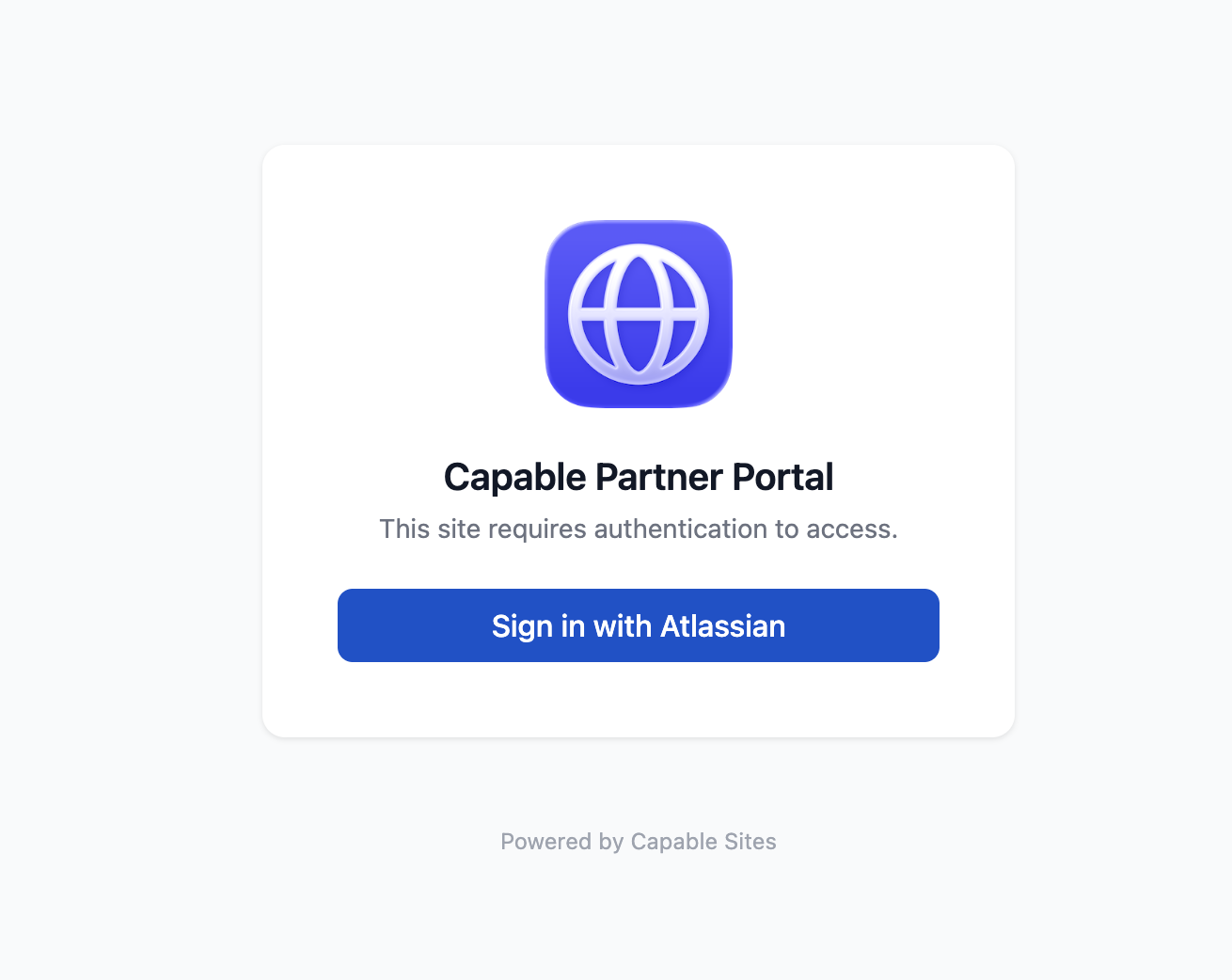
A big reason teams adopt Capable Sites is that it solves the "two audiences" problem without two systems. When you configure a site you choose one of three visibility modes:
Three access modes - public, password-protected, and login with Atlassian
- Public - anyone on the internet can read it. Ideal for help centers and public docs.
- Password-protected - a single preset password for lightweight gating, like a beta or an early-access guide.
- Login with Atlassian - users authenticate before they see anything, which is how you run a partner or customer portal. (OAuth/SSO via Microsoft, Google, and Okta is coming soon.)
Because every site is generated as static HTML from the spaces you scope to it, you're never exposing a live system - you're serving a fast, locked-down site that happens to be authored in Confluence.
Your macros come along
Here's the worry every team has before they publish: will my diagrams and macros survive? With Capable Sites, the macros you already use are converted to static HTML when the site is generated.
That covers Capable Diagrams (Mermaid, PlantUML, C4, DBML and more), Capable Approval status, Capable Formatting, and Capable Images, plus Draw.io diagrams and Refined and Mosaic content formatting. The visuals and badges your readers rely on render on the live site instead of breaking. The full macro support matrix spells out exactly what's supported.
Unlike other solutions to website publishing, Capable provides a fully vertically integrated solution, with Capable for Confluence providing content, workflow and management tools and Capable Sites for Confluence publishing them as websites.

We build our own sites this way
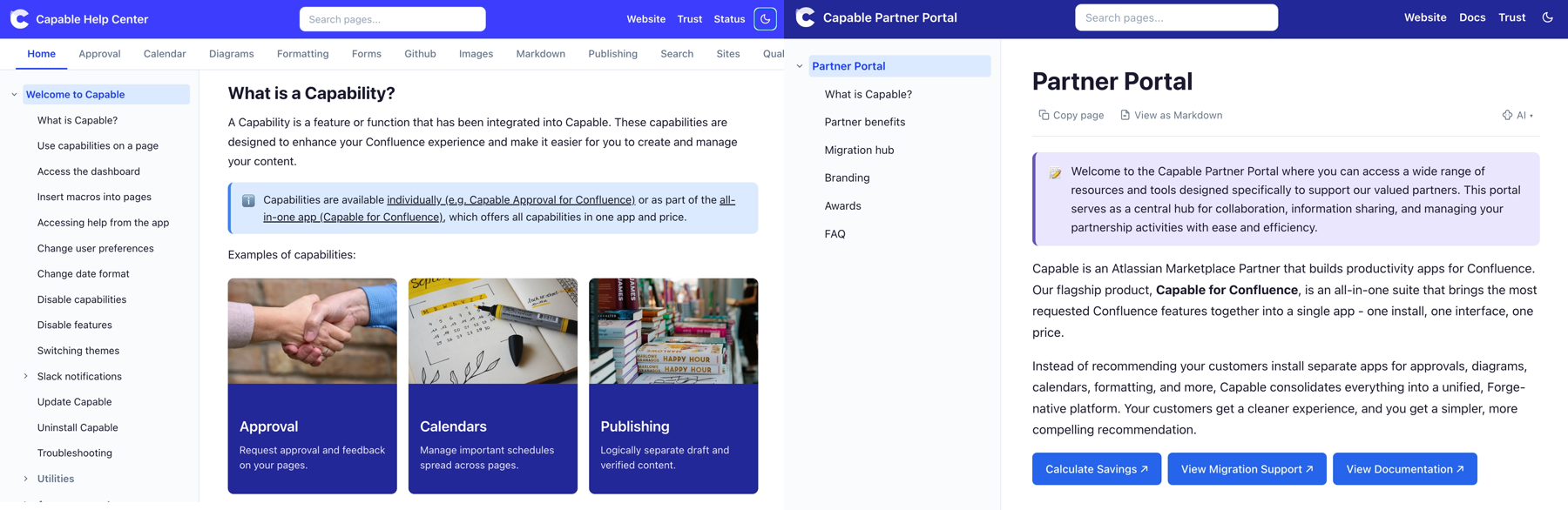
We don't just ship Capable Sites - we run on it. The help center where these docs live (help.gocapable.com) is a Capable Site. So is our partner portal (partners.gocapable.com), gated with login-with-Atlassian. So is our diagrams reference site (diagrams.gocapable.com). Those examples cover most of what teams build: public documentation and knowledge bases, help centers, gated partner and customer portals, unified product portals that combine several spaces, company intranets, and focused reference or marketing microsites.
Start with one space
You don't need a migration plan or a project kickoff to try this. Pick the single space your audience asks about most - your help docs are a great first choice - point a Capable Site at it, theme it, and publish to a free subdomain. You'll have a real, shareable site before your coffee's cold. Add a custom domain when you're ready, and the content stays current on its own because it never left Confluence.
The knowledge is already there. Capable Sites just lets the rest of the world see it.
.avif)





%20(800%20x%20200%20px).avif)