
Included in Capable for Confluence
GitHub for Confluence
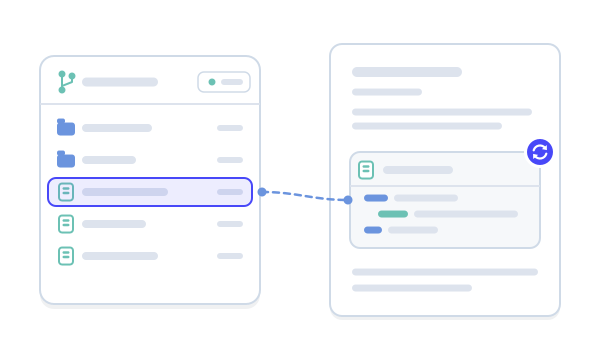
Repository files on the page, always current: code highlighted, Markdown formatted, diagrams drawn. Each file is fetched as the page loads.
- Built on Forge
- Confluence Cloud
Built on Atlassian Forge
Part of Capable for Confluence, a Confluence Cloud app on Atlassian’s own platform.
How Capable apps are builtYour own access, nobody else’s
Each person connects their own GitHub account and sees only repositories they can access.
What Capable GitHub is
Capable is used by teams at







Docs that keep up with the code
Three things that change when the file comes from the repository.
| Job | Today | With GitHub |
|---|---|---|
| Keeping code samples current | Code pasted into a page is a copy, and it drifts as soon as the file changes. | The file is fetched from the repository each time the page loads, so the page shows what’s on the branch now.Source: What Capable GitHub is |
| READMEs and diagrams | Markdown and diagram files show up as raw source. | Markdown renders as formatted text with its images, and Mermaid, PlantUML and DOT files arrive as drawn diagrams.Source: Get started |
| Finding where code is documented | No way to tell which pages show which repository. | The GitHub section of the Capable app lists every page that holds a GitHub file. Capable Search filters by repository, organisation and file type.Source: Capable GitHub catalogue page |
Repository files, rendered on the page
Code, Markdown, diagrams and images, from public and private repositories.

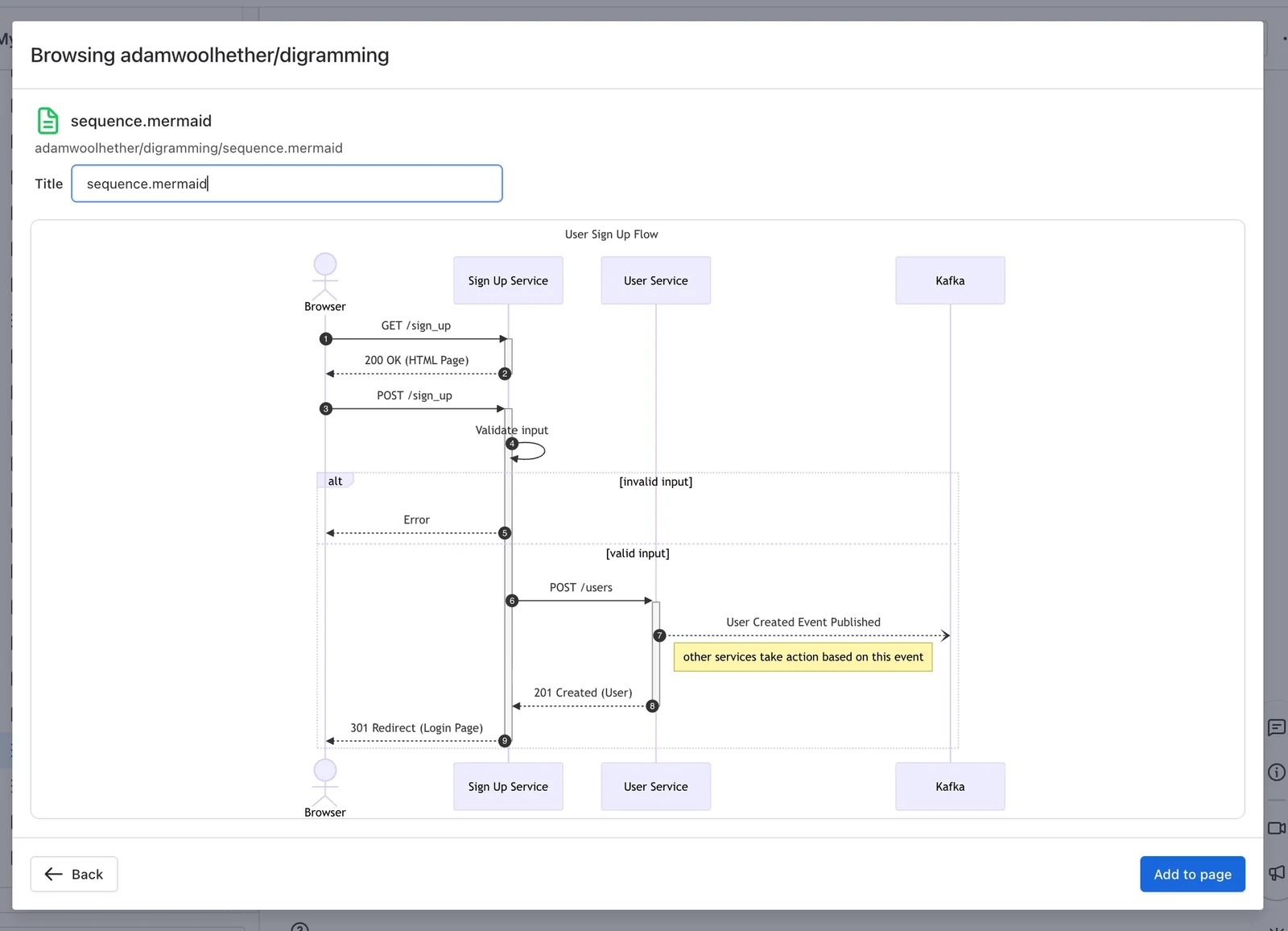
Pick a file, preview it, add it
Browse your repositories, preview a file and add it to the page. Repositories from every GitHub account you connect are merged into one list.
Or just paste the file’s link
Paste a GitHub file link into the editor and it becomes the macro, with the repository, path and branch taken from the link. Paste a link to a tag or a commit to pin that version.
See which pages use which repositories
The GitHub section of the Capable app lists every page that holds a GitHub file, and you can browse it by file type. Capable Search can filter and sort pages by repository, organisation, file type and file count.
A file that stays in step with the repository
Put a file from a GitHub repository on a page, where it renders live: code with highlighting and line numbers, Markdown as formatted text, diagrams as pictures and images inline.
- Public files need no connection
- Readers see only what they can access
Try it
Paste a file link
Try a code file, a README or a Mermaid file pinned to a tag. The repository, path and ref come from the link, and the ref shows in the header when it isn’t main. The files are our own samples.
Payments engineering
Payments API: how invoicing works
How an order becomes an invoice. The code below comes straight from the repository, so it’s always what’s on the branch.
Paste a link above, or pick a sample.
Three steps, no admin setup
There’s no site-wide GitHub connection: each person connects their own account.
Step 1: Install the All-in-One
GitHub comes with Capable for Confluence. Install it from the Atlassian Marketplace.
Installing the suiteStep 2: Connect GitHub
Type /github, connect your own GitHub account, and add a second one if you have a work and a personal account.
Connect flowStep 3: Add a file
Pick a file and add it to the page, or paste its link. It renders as code, Markdown, a diagram or an image.
Get started



Moving from another GitHub app
Capable’s migration wizard converts GitHub file macros from other apps.
GitHub Macros for Confluence (Appfire) and Include GitHub for Confluence are both supported by the migration wizard, with partial support.
Is my app supported?The wizard converts what it can faithfully and reports the rest, untouched.
Is my app supported?
Moving from
Tools and guides
- Migration toolEvery app we migrate from, and which of its macros convert.
- Migration guideYour first migration in about ten minutes, and how to run a pilot space.
App names are trade marks of their respective owners.
Also in the All-in-One
GitHub is one of around twenty capabilities in Capable for Confluence, under one licence.




Docs and guides
Short, current pages from help.gocapable.com.
- What Capable GitHub isA file from a GitHub repository on a Confluence page, rendered live as code, Markdown, a diagram or an image.help.gocapable.com/git/what-capable-github-is
- Get startedType /github, connect your account, pick a file and add it to the page.help.gocapable.com/git/get-started
- Common tasksThe 12 things people actually do with GitHub, and where each one lives.help.gocapable.com/git/common-tasks
- Connect flowConnect your own GitHub account, add a second one, and revoke access.help.gocapable.com/git/connect-flow
- LimitsAll 14 limits, and what happens when you reach one.help.gocapable.com/git/limits
Questions, answered from the docs
Each answer links to the page it comes from.
Who can see files from private repositories?
Each person connects their own GitHub account, so people only see files from repositories they can access themselves. Public files need no connection and are visible to everyone, including logged-out readers.
Source: What Capable GitHub is
Is there a site-wide GitHub connection to set up?
No. There’s no shared or admin-level connection. Each person connects their own account, and can connect more than one, for example a work account and a personal one.
Source: Connect flow
What does it ask GitHub for?
Four scopes: repo, user:email, read:org and read:user. To disconnect, unlink the app in your Atlassian account’s connected apps settings, which also revokes its access at GitHub.
Source: OAuth scopes requested
Can I show a particular branch, tag or commit?
Yes, by pasting a GitHub link that names it. There’s no branch picker: the picker always uses the repository’s default branch.
Source: Common tasks
Does it work with other Git hosts?
No. In Confluence it works with GitHub only.
Source: What is not available
Can I buy GitHub for Confluence on its own?
No. It’s part of Capable for Confluence (All-in-One) and isn’t sold separately.
Source: Capabilities
Recognition

Part of the All-in-One
GitHub for Confluence comes with Capable for Confluence (All-in-One), alongside diagrams, Markdown, approvals and more.