
Confluence analytics
Google Analytics for Confluence
Know which pages people actually read. Page views and searches go to your own Google Analytics 4 property, and the reports come back into Confluence.
- Built on Forge
- Confluence Cloud
Built on Atlassian Forge
A Confluence Cloud app on Atlassian’s own app platform.
How Capable apps are builtYour own GA4 property
Page views go to your Google Analytics 4 property, and you choose who can read the reports in Confluence.
What Capable Google Analytics is
Capable is used by teams at







More than page views
Recorded across Confluence and Capable Sites, and read back where your team works.
Usage reports without leaving Confluence
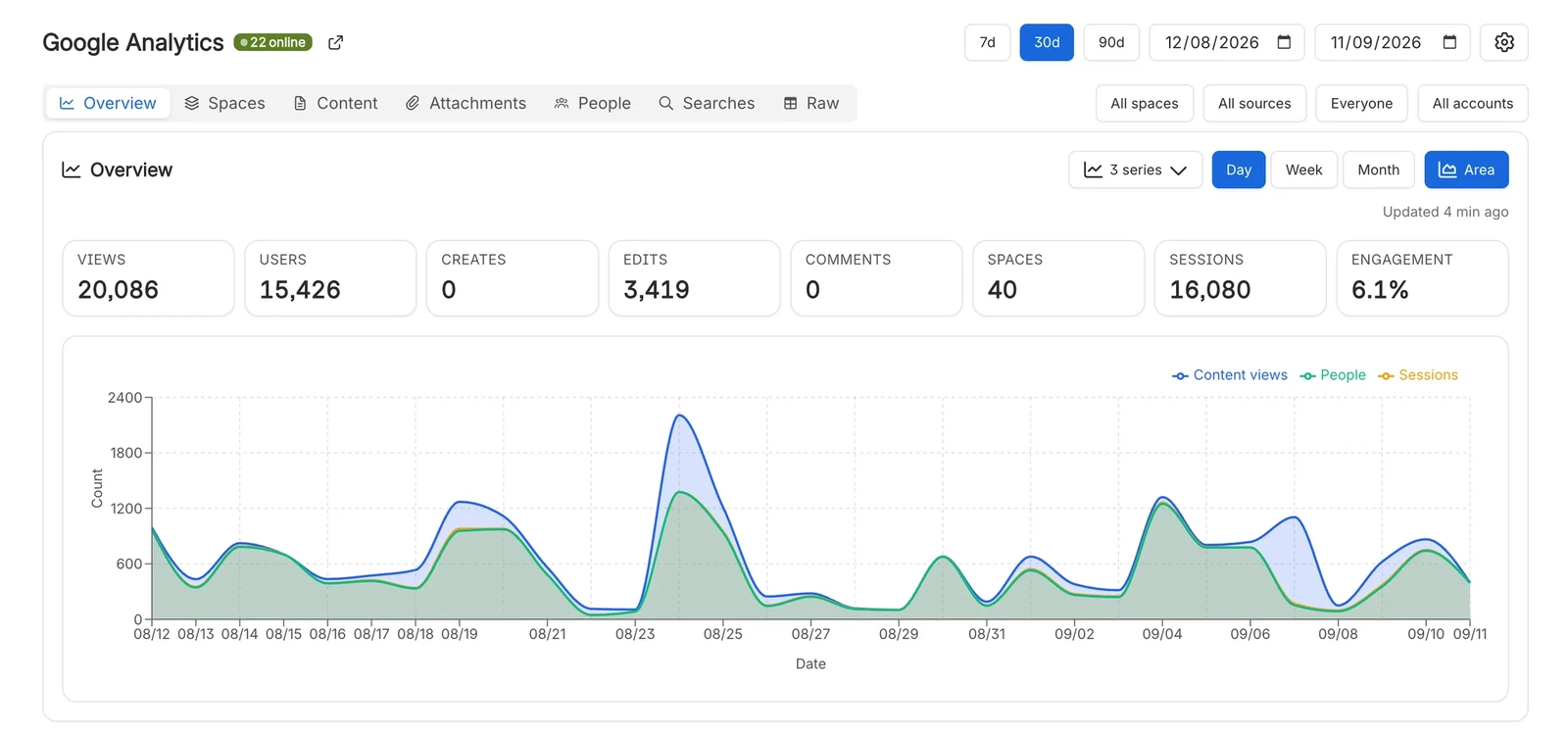
See views, users and sessions over time, broken down by space and by page, on a site-wide reports page and on every space’s own page. A Google Analytics macro puts a chart or table on any page you like.
Every page view, every search
A background tracker records a page view for each page a reader opens, tagged with its space, page and version, and records searches made in Confluence. Add a Measurement Protocol API secret and comments and page edits are sent from the server too.
- Logged-out readers of public pages counted as anonymous
- Account IDs hashed by default
Decide who can read the reports
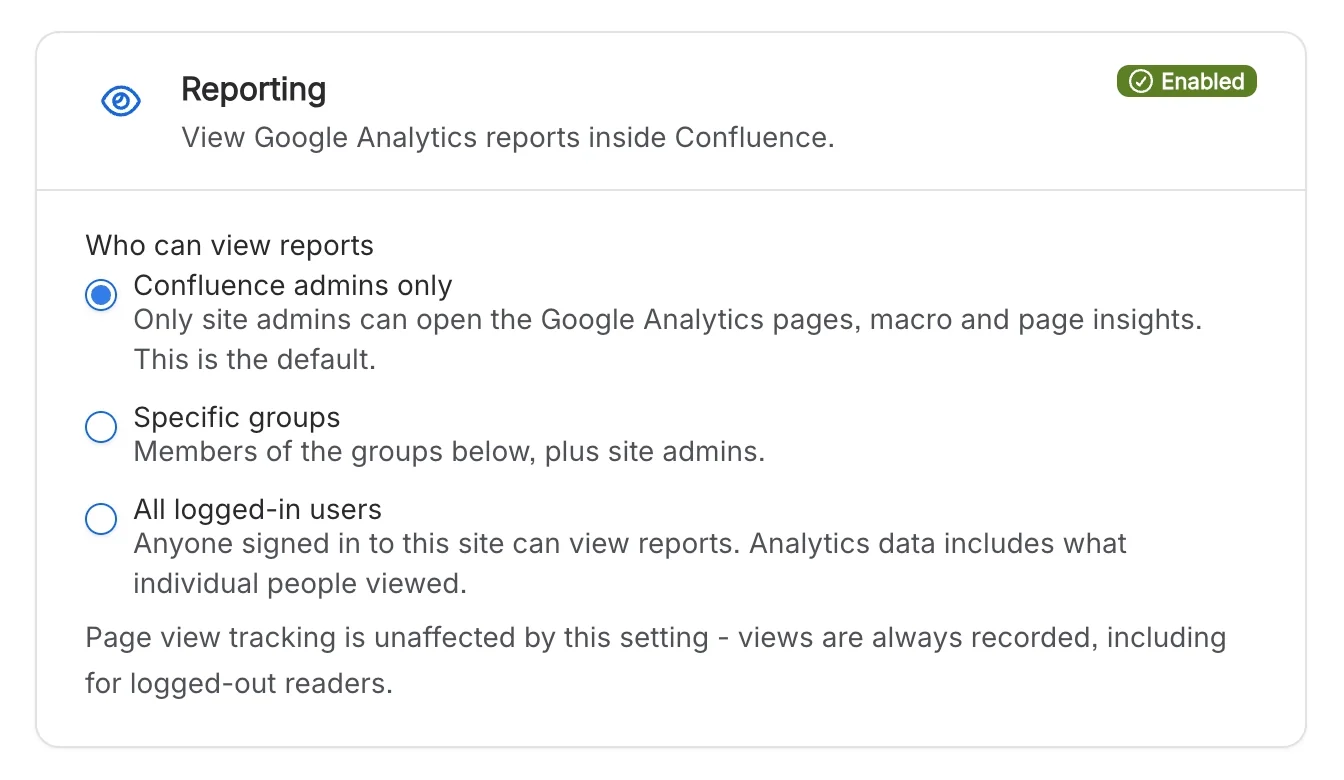
Reports are open to Confluence administrators by default. Open them to specific groups, or to everyone who is signed in, with one setting. It controls who can read the reports, not who is tracked.
Check it works before the reports fill
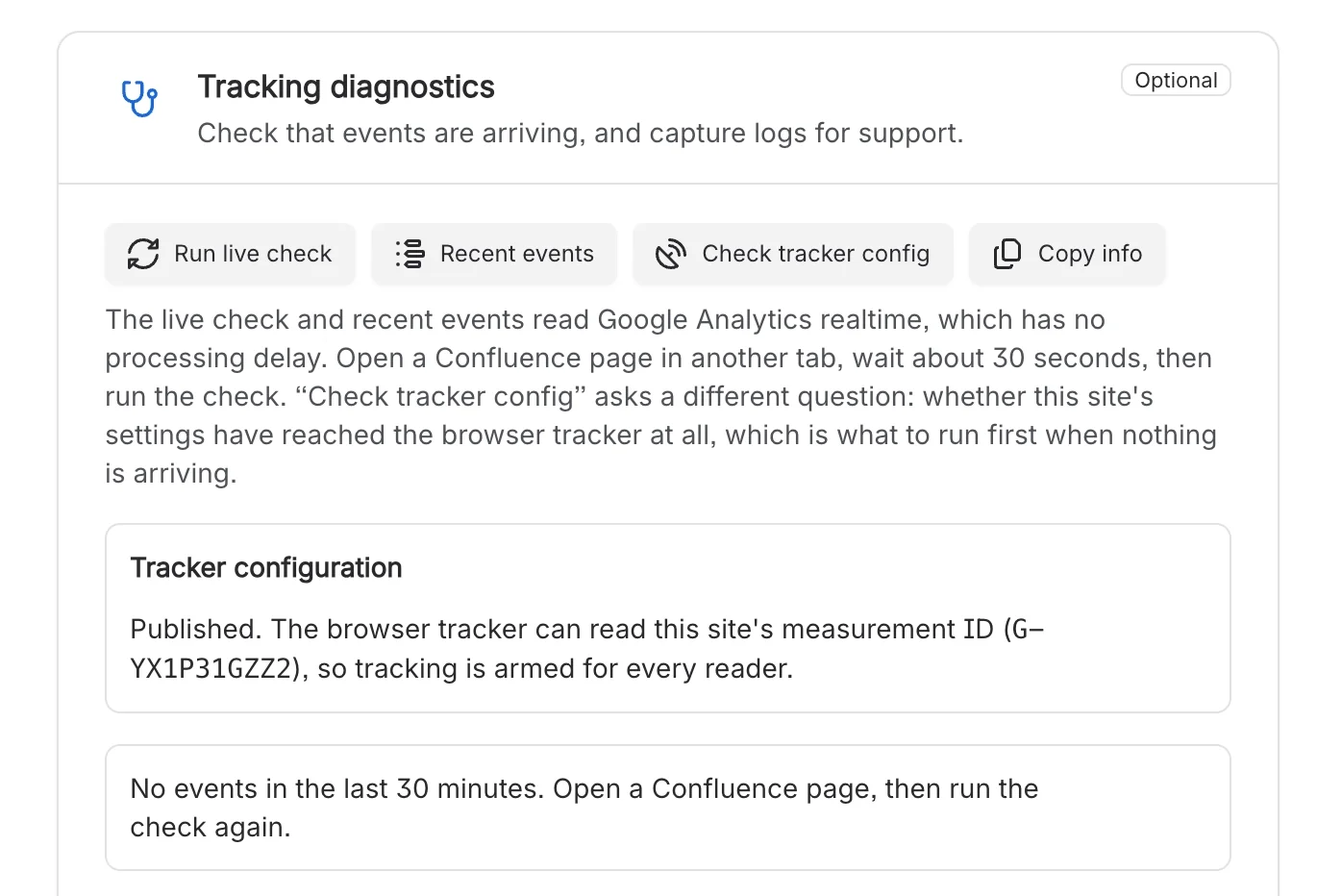
Run a live check, list recent events and confirm the tracker has picked up your settings, so you know data is arriving before you wait for Google to surface it.
Track published sites in the same property
Pages published with Capable Sites can report into the same GA4 property, tagged so that published views join up with views inside Confluence. Views on a published site are always anonymous.
Sample report
Read a usage report, inside Confluence
Switch the range, the series and the tabs of a sample report: page views, people and sessions over time, the top pages, the busiest spaces and what people searched for. Every number is made up.
Google Analytics Sample data
Top pages
| Space | Views |
|---|
| Page | Views |
|---|
| Search term | Searches |
|---|
Searches made in Confluence are recorded from the browser. The Searches tab is opt-in.
What teams say
Excerpts from public reviews on the Atlassian Marketplace.
A very useful app to track traffic and users for your Confluence. Helps a lot in understanding how to improve public spaces/pages. Highly recommend!
Anna OdrynskaReview of Google Analytics for Confluence, Nov 2022 (opens in a new tab) An excellent and helpful tool for any Confluence instance. It is easy to use, and it allows one to analyze quickly. Highly recommended.
Dave WünschReview of Google Analytics for Confluence, Aug 2022 (opens in a new tab)
Set up once, for the whole site
An administrator connects Google; nobody else has anything to do.
Step 1: Install
Install Google Analytics for Confluence from the Atlassian Marketplace. Customers of the earlier app keep their configuration.
Automatic migrationStep 2: Connect Google
Connect Google once for the site, pick the GA4 property and data stream, and sync the custom dimensions. A Measurement ID is all you need to start.
SetupStep 3: Read the reports
Open the reports page, a space’s own page or a Google Analytics macro. Google can take up to 48 hours to surface new events.
Reports inside Confluence

Related apps
Publish what people read, and find it again.


Questions, answered from the docs
Each answer links to the page it comes from.
Which version of Google Analytics does it support?
Google Analytics 4. The settings field accepts a Universal Analytics ID, but nothing is collected with one.
Source: Google Analytics 4
Are logged-out readers tracked?
Yes. Logged-out readers of public pages are tracked by design and recorded as “anonymous”, with no Google user ID. There’s no consent banner inside Confluence, so check your own cookie and privacy obligations before you switch tracking on. Published Capable Sites have their own cookie consent popup.
Source: Anonymous reader tracking
Are individual users identified in Google Analytics?
By default each page view carries a one-way hashed version of the reader’s Atlassian account ID. An administrator can choose to send Atlassian account IDs instead, if you need to see who did what.
Source: Setup
What data leaves Confluence?
To Google: page URL, path and title, space key, page ID, type and version, a hashed account ID (or “anonymous”) and search terms. To Capable: your Atlassian cloud ID, the measurement ID and licence status, your Google connection tokens, and report queries, which are proxied through Capable.
Source: Search tracking
How long before data appears?
Events usually start arriving in Google Analytics about 10 minutes after setup. Google can take up to 48 hours to surface new events and newly created custom dimensions, so empty reports straight after setup are expected.
Source: Reports inside Confluence
We used the earlier version of the app. Do we need to set it up again?
No. On upgrade the app imports your tracking ID, hide-pages setting, allowed groups and Google connection. Anything you’ve already configured in the new app takes precedence.
Source: Automatic migration from the legacy Connect app
Is it included in Capable for Confluence (All-in-One)?
No. Google Analytics for Confluence is a separate app on the Atlassian Marketplace.
Source: Capabilities
Docs and guides
Short, current pages from help.gocapable.com.
- What Capable Google Analytics isConnects your Confluence Cloud site to your own GA4 property, then shows the traffic back inside Confluence.help.gocapable.com/google-analytics/what-capable-google-analytics-is
- SetupConnect Google, choose a GA4 property and data stream, sync the custom dimensions and decide who can read the reports.help.gocapable.com/google-analytics/setup
- Reports inside ConfluenceOverview, Spaces, Content and (opt-in) Searches and Raw report tabs, on a global page and on every space's page.help.gocapable.com/google-analytics/reports-inside-confluence
- Anonymous reader trackingLogged-out visitors to public Confluence pages are tracked as well as signed-in users.help.gocapable.com/google-analytics/anonymous-reader-tracking
- Automatic migration from the legacy Resolution Connect appExisting customers of the older Connect version keep their configuration.help.gocapable.com/google-analytics/automatic-migration-from-the-legacy-resolution-connect-app
Recognition
Find out what your Confluence is really used for
Install Google Analytics for Confluence from the Atlassian Marketplace and connect your GA4 property.