
Business intelligence in Confluence
Power BI for Confluence
Paste a Power BI link, an embed snippet or a report ID, and the live report renders on the page. Readers see only what Power BI lets them see.
- Built on Forge
- Confluence Cloud
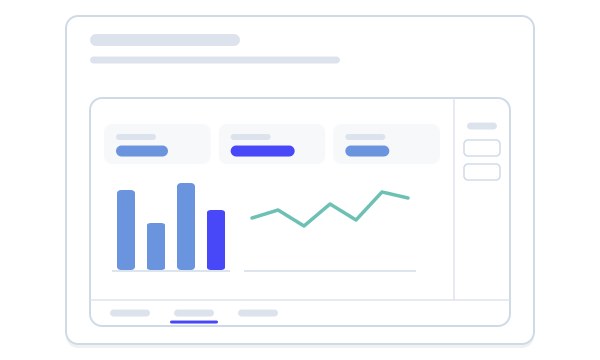
Built on Atlassian Forge
A Confluence Cloud app on Atlassian’s own app platform.
How Capable apps are builtA viewer, not a connector
No Power BI sign-in, no tokens, no copied report data. Only the report address is kept, in the page.
What Capable Power BI is
Capable is used by teams at







Live playground
Paste a report, see it on the page
Try a secure link, an embed snippet or a bare report ID, or paste your own. The same rules the macro uses decide what turns into a report. The report itself is our own drawing on sample data.
Sales operations
Monthly sales review
The figures for this month’s review. The report below is the one we walk through in the meeting.
Paste a link above, or pick a sample.
A viewer, not a connector
Power BI stays in charge.
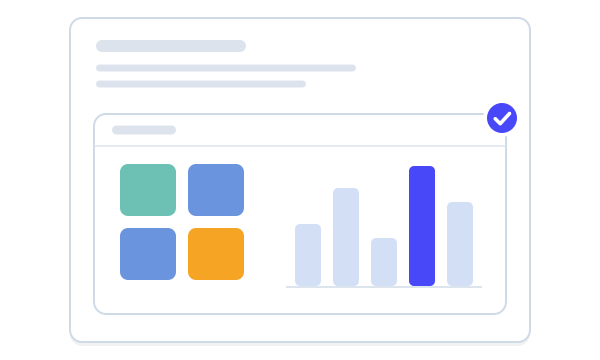
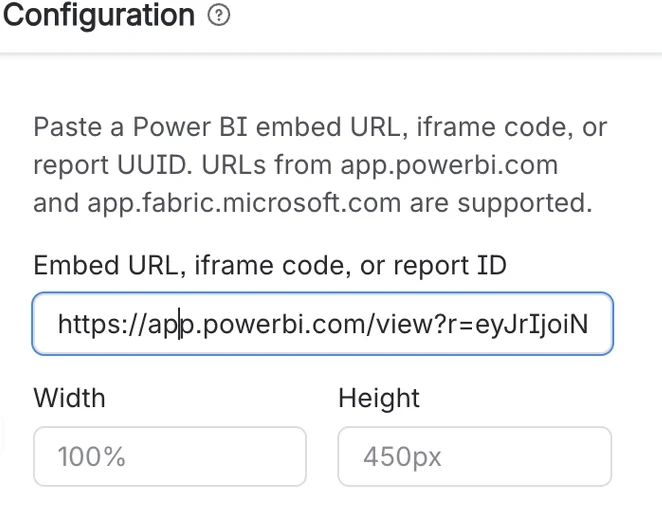
From Power BI link to live report
Paste a Power BI report link on its own line in the editor and the Power BI macro is inserted and configured for you, then loads the report. The report keeps its filter pane and page tabs, so readers can work with it without leaving the page.
A link, an embed snippet or a report ID
The macro takes whichever you have to hand: a report URL, the iframe embed code from Power BI’s share dialog or a bare report ID. A live preview shows the report as you paste, with width and height set alongside.
Secure links and public embeds both work
Secure report links (the /view form) and public embed links (the /reportEmbed form) are both accepted, and Microsoft Fabric report links work alongside classic Power BI links.
Nothing stored, nothing copied
Power BI for Confluence never authenticates to Power BI, never fetches report data and never stores a token. The only thing kept is the report address in the page itself, and everything readers see comes from Microsoft, under Microsoft’s access rules.
Three steps to a live report
Power BI stays in charge of who sees what.
Step 1: Install
Install Power BI for Confluence from the Atlassian Marketplace. Macros from the earlier Connect app keep working, with no page edits.
Legacy Connect macrosStep 2: Paste a link
Paste a report link on its own line and the macro is inserted for you. Or put an embed snippet or report ID in the macro’s one field.
Three ways to point at a reportStep 3: Size it
Set the width and height for each report. A width is capped at the page column, and a click-to-interact overlay keeps the page scrolling past.
Adjustable size



More embed apps
Bring other tools onto the page the same way.


Docs and guides
Short, current pages from help.gocapable.com.
- What Capable Power BI isA live Power BI report or dashboard on a Confluence page, from a link, an embed snippet or a report ID.help.gocapable.com/power-bi/what-capable-power-bi-is
- Three ways to point at a reportFull report URL, pasted iframe embed code, or a bare report ID.help.gocapable.com/power-bi/three-ways-to-point-at-a-report
- Secure and public reportsSecure links (the /view form) and public embed links (the /reportEmbed form) are both accepted.help.gocapable.com/power-bi/secure-and-public-reports
- Microsoft Fabric supportapp.fabric.microsoft.com report links work alongside classic app.powerbi.com links.help.gocapable.com/power-bi/microsoft-fabric-support
Questions, answered from the docs
Each answer links to the page it comes from.
Do readers need access to the report in Power BI?
Yes. The macro renders for unlicensed and anonymous Confluence readers too, but whether the report appears is decided entirely by Power BI’s own access rules.
Source: Works for readers without a Capable licence
Which links can I use?
Links from app.powerbi.com and app.fabric.microsoft.com in the /view form (secure) or the /reportEmbed form (public), an iframe embed snippet, or a bare report ID. A link copied from the browser’s address bar while you browse a workspace will usually be rejected, so take it from Power BI’s embed options instead.
Source: Three ways to point at a report
Does Capable see or store our report data?
No. It stores no credentials, no tokens and no report content. The embed address lives in the page itself, and the report loads from Microsoft directly.
Source: Limits
How big is an embedded report?
100% of the page width and 450px tall unless you change it. Power BI handles scrolling inside the frame, so a report taller than the height you set is clipped.
Source: The Power BI macro
We used the earlier Microsoft Power BI Embed for Confluence app. Do our pages need editing?
No. The app is a direct upgrade of the earlier Connect app, so existing macros on existing pages keep working with no page edits, and there’s no data to migrate. One thing does change: a configured width is now capped at the page column.
Source: Legacy Connect macros
Is Power BI for Confluence included in Capable for Confluence (All-in-One)?
No. Power BI for Confluence is a separate app, licensed on its own on the Atlassian Marketplace.
Source: Expecting Power BI in the Capable Suite
Recognition
Put Power BI reports where decisions are made
Install Power BI for Confluence from the Atlassian Marketplace and paste your first report link.