
All-in-One
Capable for Confluence
Replace a shelf of Confluence add-ons with one app and one licence. Diagrams, approvals, calendars, search and publishing, built to work together.
- Built on Forge
Works inside Cloud

Built on Atlassian Forge
Content stays in your Confluence site, under Confluence permissions.
How Capable apps are built
Capable is used by teams at







One app instead of a shelf of add-ons
Three jobs most Confluence teams pay several vendors for, and what changes when they live in one app.
| Job | Today | With Capable |
|---|---|---|
| Running add-ons | A separate app for diagrams, approvals, calendars and macros, each with its own licence, settings and interface. | One app and one licence. Every capability shares one design, one byline menu and one admin screen for hiding what you don’t use.Source: Suite or standalone? |
| Finding things | Every app keeps its own library and its own search, so diagrams, images and templates live in different places. | One asset library and one search. The search table’s columns and filters come from every capability you have.Source: What Capable for Confluence is |
| Signing off and publishing | Chasing sign-offs by message, then copying the approved page into the knowledge base by hand. | Approval asks a team to sign off and keeps the record. With Publish on approval set, the approved version is published to another space automatically.Source: What only works when capabilities are bundled |
What’s inside
Each capability does one job. Pick one to see it work.
Get pages approved, with a record
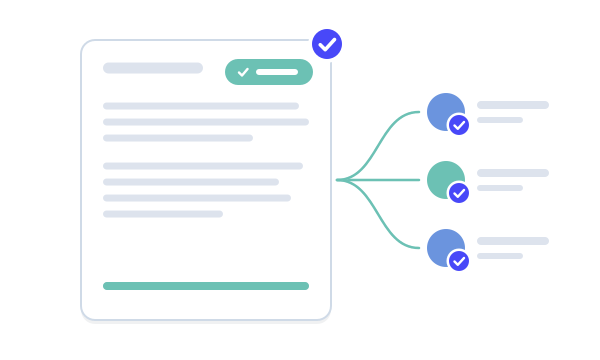
Ask named people or a standing team to approve a page, decide how many must agree, and keep a permanent record of who approved which version. When the page changes, the approval resets.
- Email and Slack notifications
- Expiry dates and a page banner
- Can publish the approved version for you
Draw, write or generate diagrams
Draw by hand in draw.io or Excalidraw, or write diagrams as text in Mermaid, PlantUML and other diagram languages, right on the page.
- Shared diagram library and templates
- Generate a diagram with AI
- BPMN, C4, DBML and more
Calendars from the dates on your pages
See dates from your pages in a calendar, embed calendars on pages, and let people subscribe from Google, Apple or Outlook through a personal feed.
- Drag-and-drop events
- Time zones handled
- Filter with labels
Panels, cards, buttons and tabs that match
Thirty-eight formatting macros for richer pages. Set your brand once and every macro you insert after that matches it.
- Cards, tabs, buttons, banners, progress trackers
- Converts Mosaic, Aura and Refined macros
Write Markdown in Confluence
Write and store Markdown documents in Confluence, start from templates or a URL, and drop Capable diagrams and images straight into them.
- Live preview editor
- Import from a URL
One image library for every page
Upload an image once and use it anywhere. Update it in the library and every page that shows it changes too.
- Folders and galleries
- Formatting macros pick from it
Search by what pages contain
Search Confluence with columns and filters from every capability you have, save the search, and put it on a page as a table or as cards.
- CQL filters
- Saved searches
Draft in one space, publish to another
Keep work in progress private until it’s ready, then publish or copy it into another space, on demand or automatically when an approval completes.
Collect answers on a page
Place input fields on a page, wrap them in a form, and browse the responses.
- Every input type on Advanced; the plain text input on Standard
Publish a space as a website
Publish Confluence spaces as public websites with custom domains and SEO metadata, and keep editing in Confluence.
- Advanced edition, up to 10 sites
Find pages that need work
Check pages for structure, accessibility, language and compliance issues, and report on page quality across a space.
- Advanced edition
Live files from GitHub
Connect GitHub repositories and show files on a page. Paste a GitHub link and it becomes a file macro that stays in step with the repository.
- Only in the All-in-One
See it on a real page
A Confluence page using several capabilities at once. Pick a number, or take the tour.
 Capable
One Capable menu on every page
Every capability that applies to the page is in the Capable entry of the byline. Press the comma key to open it.
The Capable bylineSign-off on the page itself
Ask a team to approve the page and decide how many must agree. The banner shows the result, and the approval resets when the page changes.
Approval for ConfluenceRequests in Slack and email
Approval sends requests and results by email and Slack, with buttons to respond. It’s the one capability that notifies anyone.
NotificationsDiagrams where the work is documented
Draw in draw.io or Excalidraw, or write Mermaid or PlantUML. Diagrams sit in one shared library, ready for other pages.
Diagrams for ConfluenceDates become a calendar
Dates on your pages show up in calendars that people can subscribe to from Google, Apple or Outlook.
Calendar for ConfluenceFormatting that matches your brand
Cards, panels, buttons, tabs and progress trackers, all styled from one brand setting.
Formatting for ConfluenceBuild your suite
Tick the jobs your team needs. See what the All-in-One covers, and what the same jobs take as separate apps.
All-in-One
3 of 3 jobs in one app, one licence
US$500 a year
Separate apps
3 apps to buy, set up and renew
US$1,125 a year
Job by job
| Job | All-in-One | Separate apps |
|---|---|---|
| Get pages approved | Included | Approval for Confluence |
| Plan with calendars | Included | Calendar for Confluence |
| Draw and write diagrams | Included | Diagrams for Confluence and Jira |
Annual list prices for up to 50 users, in US dollars, from the Atlassian Marketplace pricing API, fetched 11 November 2026. All-in-One prices are for the Standard edition. Taxes and discounts are not included; the Marketplace pricing tab has the final figure.
What teams say
Excerpts from public reviews on the Atlassian Marketplace.
We decided to introduce Capable within our organisation because of the broad range of features it brings to Confluence. …
Jeroen AlandtReview of Capable for Confluence, Aug 2026 (opens in a new tab) Capable is packed with features. The various diagram styles are awesome, and our engineers appreciate the Markdown capabilities.
Jens SchumacherReview of Capable for Confluence, Dec 2025 (opens in a new tab) Fantastically intuitive app! I just typed /capable and dove into the diagrams, creating a smooth flowchart in no time. …
Michael SchmidtReview of Capable for Confluence, Jul 2024 (opens in a new tab)
Up and running in three steps
Step 1: Install
Install it from the Atlassian Marketplace. Nothing has to be configured first: the macros and the Capable byline appear straight away.
Installing the suiteStep 2: Set up
Hide the capabilities you don’t need, connect Slack for approval notifications, and run a re-index so search filters fill in.
AdministrationStep 3: Use
Open the Capable entry in any page’s byline, press comma, or insert one of around 61 macros from the macro picker.
Using Capable on a page



Built for the way your team works
Teams
Replace several apps with one
Moving to the All-in-One is a migration, not a reinstall, and the wizard does the work.
From a standalone Capable app: install the suite, keep the old app, run the migration wizard, check the result, then uninstall the old app.
Moving from a standalone appFrom another vendor: the same wizard recognises 110 macros from 28 apps. It converts what it can faithfully and reports the rest, untouched.
Is my app supported?Run both apps side by side while you migrate. That’s the intended path.
Suite or standalone?
Moving from
- Draw.io for ConfluenceDraw.io
- Mermaid Diagrams for ConfluenceStratus
- PlantUML for Confluence (Server/Data Center)Avono
- Toolkit for ConfluenceRefined
- Mosaic for ConfluenceKolekti
- Aura Content Formatting for ConfluenceSeibert Media
- Handy Macros for ConfluenceStiltsoft
- Approvals for ConfluenceAppFox
- CQL Search for ConfluenceStreamlineSoft
- Github Macros for ConfluenceAppfire
- All apps
Tools and guides
- What can I migrate?Every app we migrate from, and which of its macros convert.
- How much could I save?Compare what you pay for separate apps today with the suite.
- Migration guideYour first migration in about ten minutes, and how to run a pilot space.
App names are trade marks of their respective owners.
Or start with one app
Every capability with a standalone app is sold on its own too. Two or more, and the suite usually costs less.
- ApprovalSign-off for Confluence pages, with a record of who approved what
- DiagramsDraw, write or generate diagrams where the work is documented
- CalendarCalendars from the dates already on your Confluence pages
- FormattingPanels, cards, buttons, tabs and more, styled to match
- MarkdownWrite, import and render Markdown in Confluence pages and Jira issues
- ImagesOne image library for Confluence. Update an image once, and it changes everywhere
- PublishingDraft in one space, publish to another
- SearchFreeFind pages by what is on them, then save the search
- SitesPublish Confluence spaces as a website
- QualityFind stale, inaccessible and non-compliant pages automatically










Docs and guides
Short, current pages from help.gocapable.com.
- Get startedInstalling the suite, what happens automatically, and what an administrator should do next.help.gocapable.com/capable/get-started
- CapabilitiesAll 20 capabilities in the suite, what each one does, and which are suite-only.help.gocapable.com/capable/capabilities
- Editions and licensingStandard and Advanced, what genuinely needs Advanced, and what people see when a licence lapses.help.gocapable.com/capable/editions-and-licensing
- Suite or standalone?Every capability is sold two ways. The difference is not only price.help.gocapable.com/capable/suite-or-standalone
- Moving from a standalone appInstall the suite, migrate the content, then uninstall the old app. In that order.help.gocapable.com/capable/moving-from-a-standalone-app
Questions, answered from the docs
Each answer links to the page it comes from.
What is Capable for Confluence?
One Atlassian Forge app that does the jobs teams usually buy several add-ons for: diagrams, approvals, search, Markdown, images, macros, calendars, publishing and more. It’s built from the same code as the standalone Capable apps, and because everything is in one install the capabilities share one page index, one asset library and one byline.
Source: What Capable for Confluence is
Should I buy the suite or separate apps?
With two or more capabilities, the suite usually wins on price. Several features also exist only in the suite: the unified Capable byline, the Home dashboard, the command palette, the Search table macro and one Capable agent for Rovo. Export, GitHub, Links, Tasks, Source, Word count and numbered headings are not sold separately at all.
Source: Suite or standalone?
What’s the difference between Standard and Advanced?
Four things depend on the edition. Sites, Quality and Variables need Advanced, and Sites on Advanced includes up to 10 sites. Forms works on Standard with the plain single-line text input; Advanced adds every input type. Everything else is the same on both.
Source: Editions
Is there anything to set up after installing?
Nothing is mandatory: macros and the Capable byline appear straight away. Installing creates a space called “Capable Asset Store” for uploaded assets. Worth doing next: hide capabilities you don’t need, connect Slack if you want approval notifications there, and run a re-index. A large site takes hours to days to index.
Source: Installing the suite
Can we hide capabilities we don’t use?
Yes. An administrator can hide any capability site-wide from the Capabilities tab, and space administrators can turn one off for their space. Hiding tidies the interface: macros already on pages keep rendering and no data is deleted.
Source: Hiding capabilities
We use a standalone Capable app today. How do we move?
It’s a migration rather than an upgrade. Install the suite and keep the standalone app installed, run the migration wizard in Capable’s global settings, check the result, then uninstall the standalone app. Don’t uninstall first: that deletes the content the migration needs to read.
Source: Moving from a standalone app
What happens if our licence lapses?
Licensing covers the whole app. There’s no grace period: Capable macros show a licence panel until the app is licensed again. Nothing is deleted, and re-licensing restores rendering. Viewers without a seat, and logged-out visitors on public pages, keep reading real content.
Source: Licence states
Where does our content live?
Capable apps are Forge apps. Content is stored in your own Confluence site, as attachments and custom content, under Confluence permissions. Some features, such as diagram rendering, run in services we operate.
Source: Where our services run
Recognition
- FinalistAtlassian Partner of the Year 2026Cloud Transformation Apps
- Rising StarAtlassian Rising StarAtlassian Marketplace
- FinalistAtlassian Partner of the Year 2024–2025AI Innovator
- FinalistAtlassian Partner of the Year 2024–2025Teamwork Foundations Apps
- First PlaceAtlassian Codegeist 2024Teamwork Foundations · Capable Images
Try every capability free
Install Capable for Confluence from the Atlassian Marketplace, or book a demo and we’ll show you round.