







SUP-142
Export to CSV times out on large projects
maya@quillfern.example
Since this morning, exporting the Shipments project to CSV spins for a minute and then fails. Smaller projects export fine.
CRM context for service desks
Know who’s asking before you reply. The reporter’s Attio record, with the fields you choose, on every Jira Service Management request.
Read-only both ways
It never writes to Attio or to your issues. Only the reporter’s email address, or its domain, goes to Attio.
What data leaves AtlassianCapable is used by teams at


The question an agent asks on every request, answered on the request.
| Job | Today | With Attio |
|---|---|---|
| Knowing the customer | The answer is in the CRM, in another tab, behind a search for an email address the issue doesn’t show. | The reporter’s Attio record is on the request, with the attributes a project administrator chose, in their order.Source: What Attio for Jira does |
| Giving agents the context | Every agent who wants the answer needs their own way into the CRM. | A project connects with one Attio workspace API key. Agents see the card without signing in to Attio.Source: What you need before you connect Attio |
Live sample
Pick a sample request and the customer’s plan, ARR, renewal date and open deals slide in beside it. Move the card, switch between matching the person and their company, and open the request nobody matches.
SUP-142
Export to CSV times out on large projects
Since this morning, exporting the Shipments project to CSV spins for a minute and then fails. Smaller projects export fine.
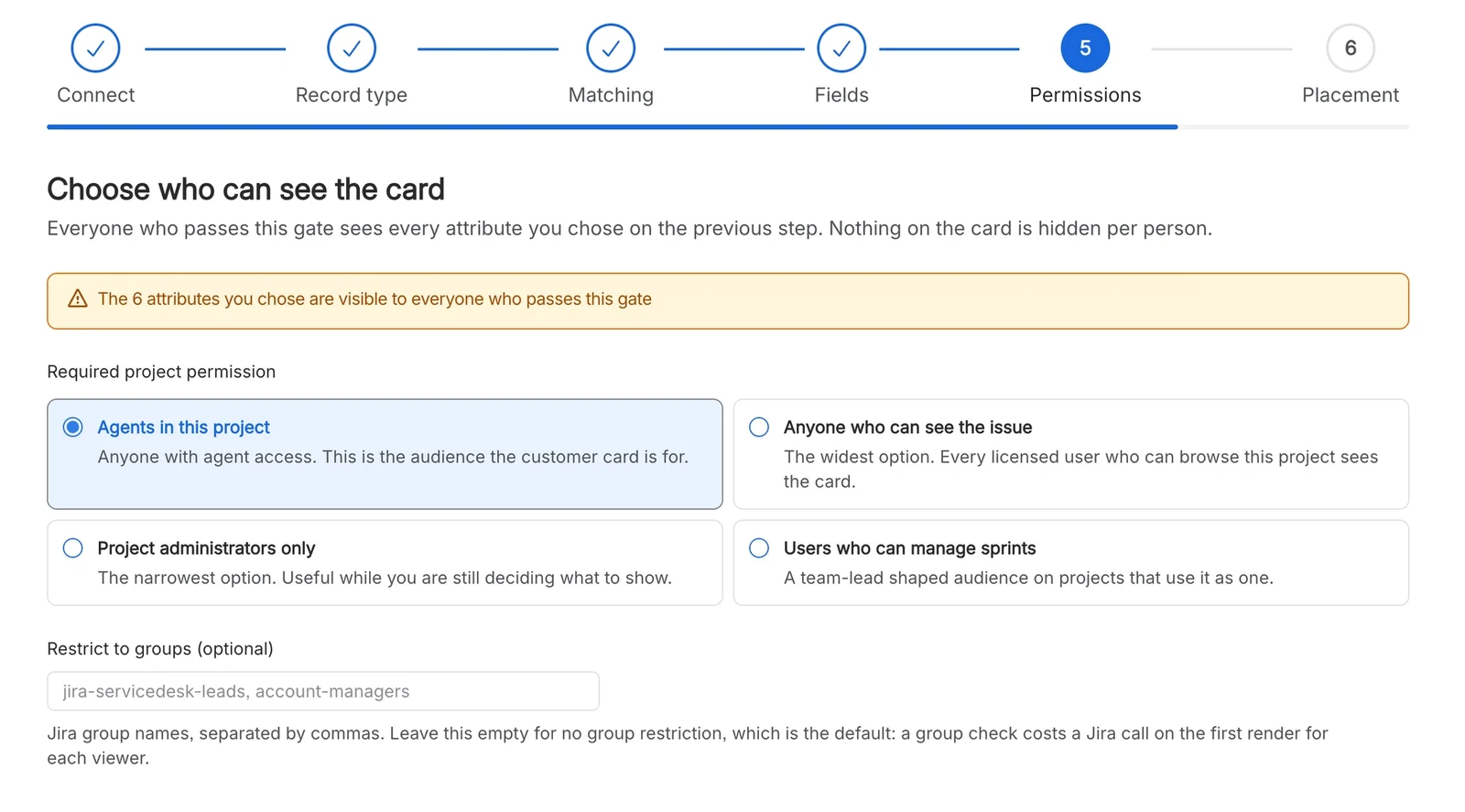
A project administrator decides what the card shows, who sees it and where.


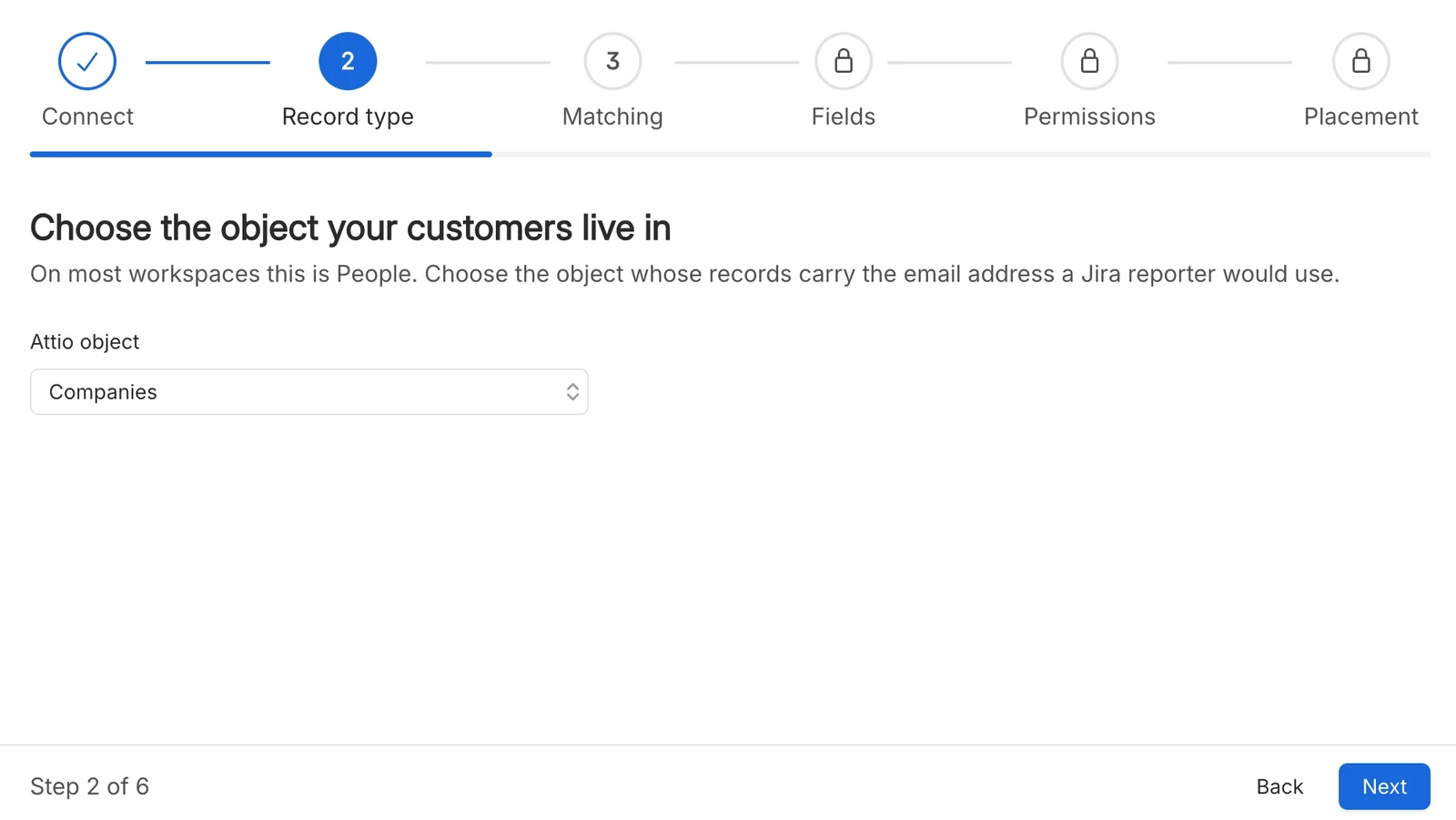
Match the reporter’s email address to a person, or use just the domain to match their company, so every reporter at a customer resolves to the same record. When a domain matches four or more records, the card shows nothing rather than guess.
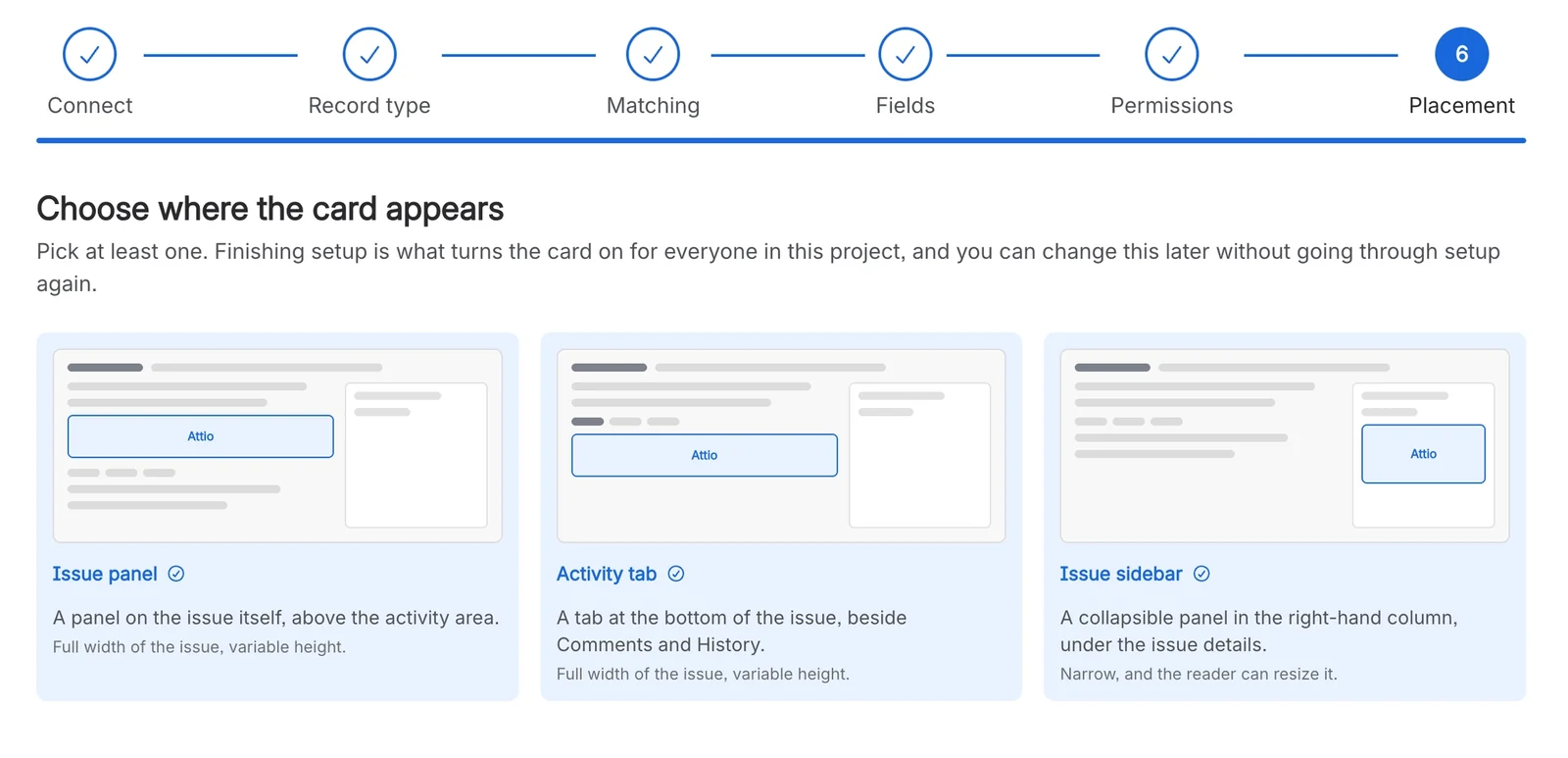
Show the card as a panel above the activity, as a tab beside Comments and History, or in the issue sidebar. Use one, two or all three, and the card lays itself out to fit the space it’s given.
The card only ever reaches signed-in agents who can open the request. Narrow that to project administrators, people who can manage sprints, or members of named Jira groups. Portal customers and anonymous visitors never see it.
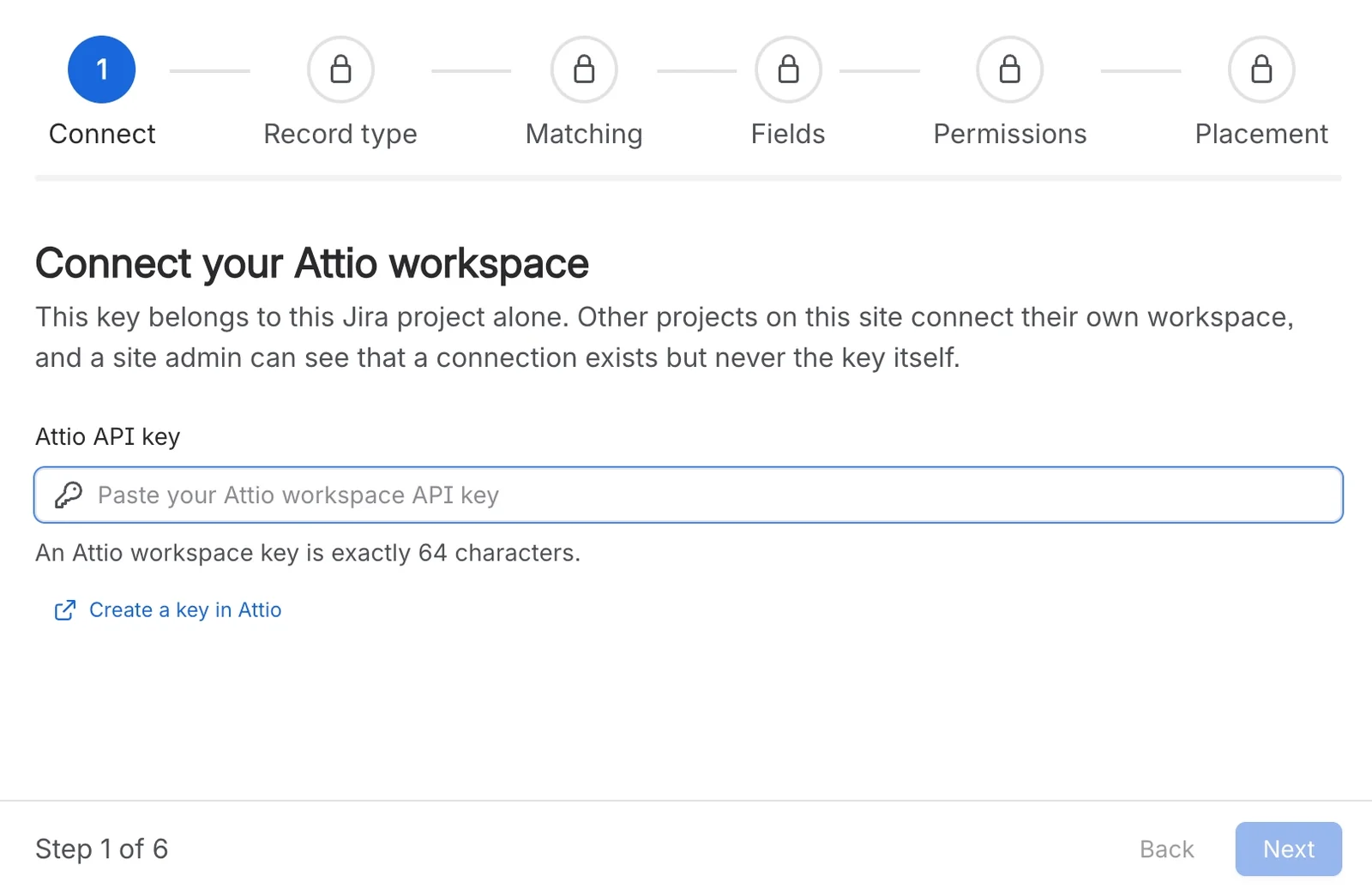
A project administrator pastes an Attio workspace API key and works through six short steps. There’s no Attio app to install, and each project can connect its own workspace.
The card is the attributes you chose and one “Open in Attio” link. Values are formatted for the reader’s locale, an empty attribute still shows its label, and linked records such as deals can sit inside it.
Install Attio for Jira from the Atlassian Marketplace. It adds an Attio page to the settings of each service management project.
Get startedPaste an Attio key, then choose the record type, matching, fields, audience and placement.
The six Attio setup steps in JiraOpen a request raised by a known customer and check the card appears where you chose.
Check the card appearsDiagrams and Markdown, on Jira work items.
Each answer links to the page it comes from.
Jira Service Management projects, on service desk requests, for agents. In business and software projects the app adds nothing, not even a settings page.
Source: What Attio for Jira does
No. A project connects with one Attio workspace API key, and agents see the card without signing in to Attio.
Source: What you need before you connect Attio
A 64-character Attio workspace key that can read records and object configuration (record_permission:read and object_configuration:read). It’s stored encrypted for the project and never sent back to the browser.
Source: What you need before you connect Attio
It never creates, edits or deletes anything in Attio. In Jira it writes one small, non-secret flag on the project, recording whether setup is finished and where the card appears. It never writes to your issues.
Source: What Attio for Jira does
Values are fetched when someone opens a request and reused for up to fifteen minutes, so an edit in Attio can take that long to appear. Changes to the project’s settings show on the next view.
Source: How fresh the Attio card is
Only the reporter’s email address, or just its domain when you match companies, which is sent to Attio’s API to find the record. It isn’t shown on the card, logged or stored.
Source: What data leaves Atlassian
Short, current pages from help.gocapable.com.

Install Attio for Jira from the Atlassian Marketplace and connect your first service desk project.
You · Agent
Thanks, looking into this now.