
Publishing for Confluence
Draft in one Confluence space and publish to another. Readers only see what you publish, and every copy stays linked to its draft, so you can tell when it falls behind.
- Built on Forge
Works inside Cloud
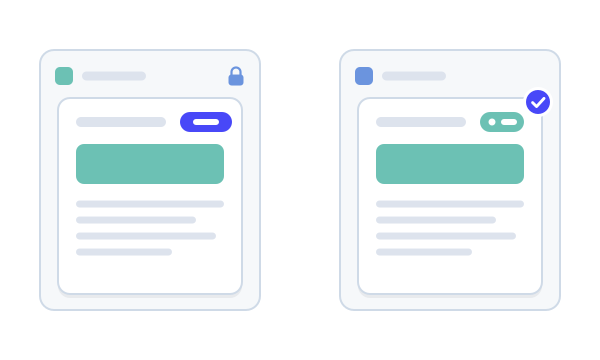
Built on Atlassian Forge
Copies are made with Confluence’s own copy, inside your site, under Confluence permissions.
How Capable apps are built
Capable is used by teams at







A clean line between draft and live
Three jobs that usually mean copy, paste and hope.
| Job | Today | With Publishing |
|---|---|---|
| Keeping drafts private | Work in progress sits beside finished pages, so readers find half-written content and act on it. | Draft in a source space. Readers of the target space only see a page once someone publishes it.Source: What Capable Publishing is |
| Updating what’s live | Someone copies a page by hand, and the copy quietly falls behind the original. | Each copy stays linked to its source. Edit the draft and the page shows Outdated until you update the copy, in place, as a new version.Source: Page statuses |
| Publishing a whole space | Moving a space of reviewed content means copying page by page and rebuilding the tree. | Publish every page, only the approved ones, or a selection by status, with the page tree kept or flattened.Source: Common tasks |
Hands-on
Try draft to live
Edit a sample page in the Draft space, publish it to Live, then change the draft and watch the copy fall behind until you update it.
Draft
Source space · editors only
Returns policy
policycustomer-facing
Live
Target space · what readers see
Nothing published yet.
Readers of this space only see pages once they are published from Draft.
Returns policy
policycustomer-facing
Labels and attachments travel with the copy; page restrictions don’t. Re-publishing updates the same live page as a new version, never a second copy. In the app, a publish is queued and can take a few minutes.
What Publishing does
Pick one to see it.
Draft here, publish there
A space administrator picks one target space, where copies land, and whether the page tree is mirrored. Pages and folders publish with their attachments and labels, and links between published pages are rewritten to point at the copies.
- Preserve hierarchy or flatten
- Folders publish with what’s inside
Publish one page in one click
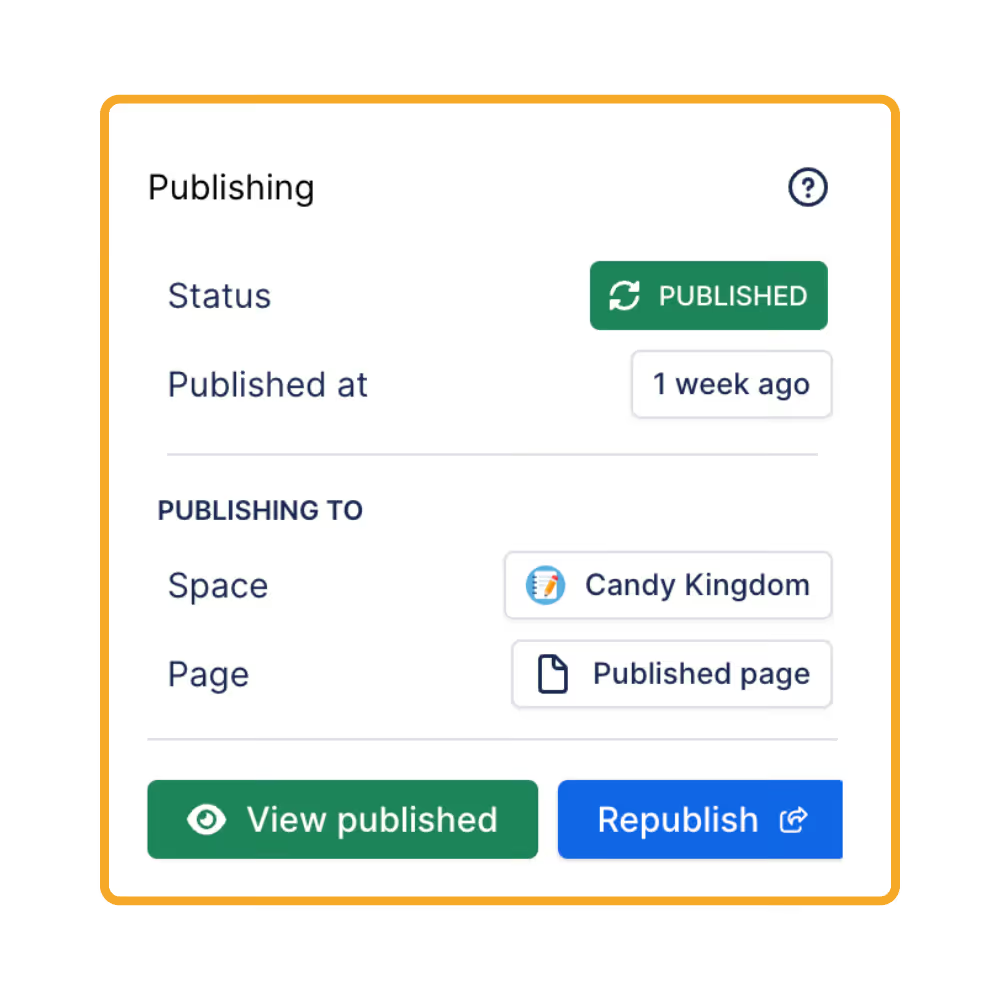
The Publishing panel in the page byline shows where the page stands and offers the next step: Publish the first time, Republish once a copy exists, Update when the draft has moved on. Add a comment and it becomes the version comment on the copy.
- View published, or jump back to the source
See what’s behind, and fix it in bulk
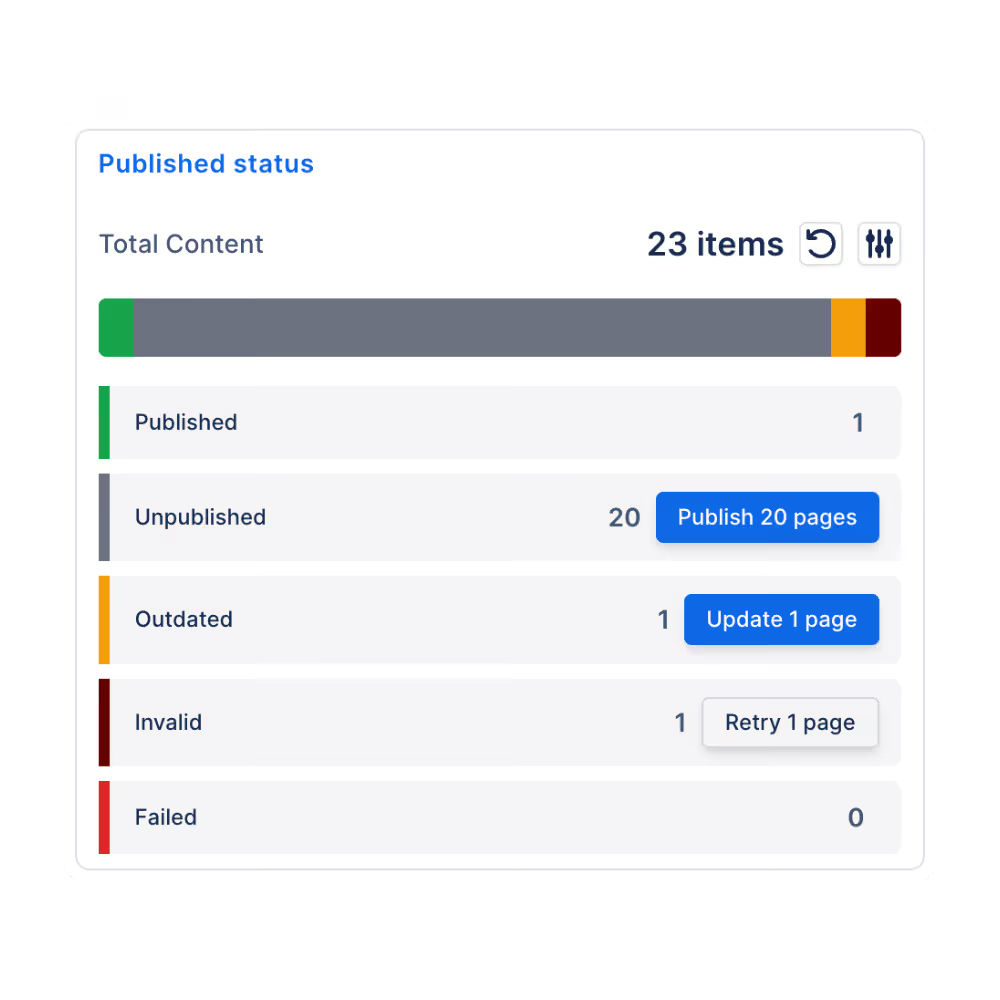
Every page carries a status: Published, Outdated, Out of sync, Moved or Failed. The space page lists pages by status, so you can select the outdated ones and update them together, then follow the job and its audit log.
- Publish all, or only approved pages
- Up to 1,000 pages per selection
Publish the moment a page is approved
With Capable Approval in the same app, turn on publish on approval and the approved version is published straight away, with the approvers recorded. This needs the All-in-One or Approval for Confluence, which both include Publishing.
- Not in the standalone Publishing app
Decide who publishes, and what never does
Limit publishing to up to 50 named people, require a comment on every publish, and keep a page out for good with the capable_never_publish label. The copy is written by the app, so authors need no permission in the target space.
- Space administrators keep access
- Restrictions are not copied
Up and running in three steps
Step 1: Install
Install Publishing from the Atlassian Marketplace. It works through the page byline, a Publishing space page and space settings, with no macros to learn.
Get startedStep 2: Point a space at its target
As a space administrator, turn publishing on, choose the target space, where copies land and whether the tree is kept. A live preview shows the result.
Publishing settingsStep 3: Publish
Publish a page from its byline, or run Publish all pages for a first load. Watch statuses on the Publishing space page from then on.
Publishing byline panel

Where teams use it
Jobs
Also in the All-in-One
The whole Publishing capability is also inside Capable for Confluence and Approval for Confluence. Both add publishing on approval, which the standalone app can’t do.



Docs and guides
Short, current pages from help.gocapable.com.
- Get startedThe 20 things people actually do with Publishing, and the route to each.help.gocapable.com/publishing/get-started
- How it worksHow Publishing behaves: 12 behaviours worth understanding before you rely on them.help.gocapable.com/publishing/how-it-works
- IntegrationsHow Publishing connects to the rest of Capable, and where it deliberately does not.help.gocapable.com/publishing/integrations
- LicensingPage statuses need a valid licence to stay up to date. Manual publishing still works without one.help.gocapable.com/publishing/licensing
Questions, answered from the docs
Each answer links to the page it comes from.
Can I have a draft area and a published area in the same space?
No. Publishing always copies from one space to a different one, and publishing within a space is blocked. Use a source space for drafting and a separate target space for finished content.
Source: Draft and validated areas
What does a publish copy?
The page, with its attachments and labels, using Confluence’s own copy. Page restrictions, content properties and custom content are not copied, and the Capable approval macro is removed from the copy. Links to pages that already have a published copy are rewritten to point at it.
Source: What a publish actually copies
What happens when I publish a page again?
The existing copy is overwritten in place as a new version of the same page, never a second copy. If the page has moved in the source space, the copy is moved to match.
Source: What re-publishing does
Can pages publish automatically when they are approved?
Yes, in Capable for Confluence and in Approval for Confluence, which both include Publishing. The standalone Publishing app doesn’t include Approval, so it can’t publish on approval. There is no scheduled or timed publishing in any of them.
Source: Suite or standalone
Do authors need permission in the target space?
No. The copy is written into the target space by the app itself, so authors only need edit permission on the source page. Manual publishes show “Published by” with the person’s name.
Source: Who the published copy is written by
What happens if our licence lapses?
Page statuses stop updating, because they rely on watching changes on a licensed site. Manual publishing still works.
Source: Licensing
Recognition

Try Publishing free
Install it from the Atlassian Marketplace, or book a demo and we’ll show you round.