
Calendar for Confluence
Calendars from the dates already on your Confluence pages. Add shared calendars of your own, put them on pages, and follow them from Google Calendar, Apple Calendar or Outlook.
- Built on Forge
Works inside Cloud
Built on Atlassian Forge
Saved calendars are Confluence content, stored in the space or page you create them in, under its permissions.
Saved calendars are Confluence content
Capable is used by teams at







What Calendar does
Pick one to see it.
The dates you already wrote down
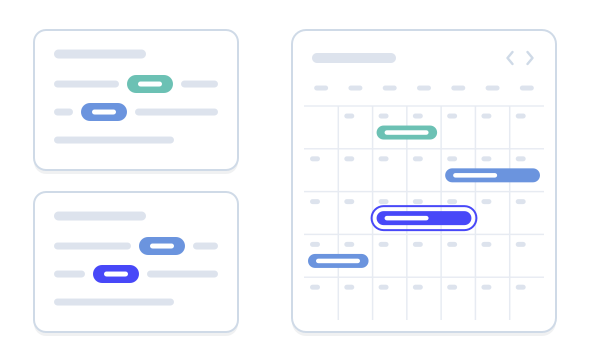
A date in a paragraph, a table row, a task or a decision becomes an event, with mentions as participants and the surrounding text as its title. No macro is needed on the page before a calendar can read it.
- Byline shows how many dates a page holds
Put a calendar on any page
The Calendar macro shows the dates on its own page, or a shared saved calendar. Choose day, week, month, year or agenda, and let readers add and edit events from the page.
- Calendar, Event and Clock macros
Shared calendars for teams
Create space and global calendars, choose which pages each reads dates from, and colour them. My calendar gathers up to five calendars and everything you are part of into one private view.
- Import an .ics file
- Stored as Confluence content
Follow it from your own calendar app
Anyone signed in can make a personal, read-only iCal link to a saved calendar, with one-click hand-offs to Google Calendar, Apple Calendar and Outlook. The feed refreshes about a minute after an event changes.
- Administrators can revoke any link
Time zones handled
Events keep their time zone, and everyone sees them at the right local time. The Clock macro shows a row of world clocks, with presets for the Americas, EMEA and APAC.
Working sample
Try a calendar
A sample team calendar with dates from pages and events saved in the calendar. Switch views as on the Calendar page, then add an event.
November 2026
What teams say
Excerpts from public reviews on the Atlassian Marketplace.
…the shared calendar has helped us stay on top of deadlines and avoid overlaps. …
Sebastian GolzReview of Capable for Confluence, Nov 2024 (opens in a new tab) approval and calendar features made confluence way more useful for coordinating our team
Evan CarlisleReview of Capable for Confluence, Jan 2025 (opens in a new tab)
See it on a page
A release page with a calendar macro reading its own dates. Pick a number, or take the tour.
Up and running in three steps
Step 1: Install
Install Calendar from the Atlassian Marketplace. Dates already on your pages are picked up, with nothing to configure first.
Get startedStep 2: Add a calendar to a page
Insert the Calendar macro to show the page’s own dates, or create a shared calendar from the Calendar page.
MacrosStep 3: Subscribe
Make a personal iCal link and follow the calendar from Google Calendar, Apple Calendar or Outlook.
Personal iCal subscription

Also in the All-in-One
Calendar is also a capability in Capable for Confluence. In the suite, dates also show as a panel and column in Capable Search.



Docs and guides
Short, current pages from help.gocapable.com.
- Get startedThe 24 things people actually do with Calendar, and the route to each.help.gocapable.com/calendar/get-started
- MacrosThe 3 macros Calendar ships, with every setting and its real default.help.gocapable.com/calendar/macros
- Google Calendar, Apple Calendar and OutlookFollow a saved calendar from Google Calendar, Apple Calendar or Outlook with a personal iCal link.help.gocapable.com/calendar/google-calendar-apple-calendar-and-outlook
- Suite or standaloneThe same capability, two products, and the differences that matter.help.gocapable.com/calendar/suite-or-standalone
Questions, answered from the docs
Each answer links to the page it comes from.
Where do events come from?
Three places: Capable Event macros on pages, Confluence’s own date chips on pages (in paragraphs, table rows, tasks and decisions), and events saved inside a Capable calendar.
Source: What Capable Calendar is
Can I see a calendar in Google Calendar, Apple Calendar or Outlook?
Yes. Open a saved calendar, choose Subscribe, create your personal link and hand it to Google, Apple or Outlook. It is read-only: changes made in those apps don’t come back to Confluence. How often the app checks for updates is up to the app.
Source: Google Calendar, Apple Calendar and Outlook
Who can see a calendar?
A saved calendar is Confluence content, stored in the space or page you create it in, so it follows that location’s permissions. Confluence administrators can see and revoke every personal subscription link.
Source: Saved calendars are Confluence content
Can readers switch views inside the macro?
The macro opens in the view you choose: day, week, month, year or agenda. Readers press Maximise to open a full calendar with a view switcher.
Source: Common tasks
Does it show Jira issues?
No. Calendar doesn’t connect to Jira today, so there is nothing to set up for it.
Source: Jira
Recognition

Try Calendar free
Install it from the Atlassian Marketplace, or book a demo and we’ll show you round.