
Images for Confluence
One searchable image library for Confluence, per space and site-wide. Put an image on as many pages as you like, update it once, and every page shows the new version.
- Built on Forge
Works inside Cloud

Built on Atlassian Forge
Library images are Confluence content in your own site, with their own version history.
Library images are Confluence contentConfluence permissions
Who can see and upload images follows the permissions of the space that holds them.
Permissions and access
Capable is used by teams at







One image, one place
Three things that go wrong with images scattered across page attachments.
| Job | Today | With Images |
|---|---|---|
| Changing an image | The logo changes, and someone has to find every page with the old one and re-upload it. | Upload a new version in the library. Every page that shows it through an Image reference changes too.Source: Version an image in place |
| Finding the right one | Images live as attachments on whichever page they were first added to. | A searchable library for each space and one for the whole site, with folders, names and descriptions.Source: Two-tier library |
| Knowing where it’s used | Nobody can tell which pages a deleted or changed image will affect. | Each image’s Used on Pages panel lists the pages that reference it.Source: Used on Pages |
Update once, everywhere
Three sample pages show the same library logo through Image references. Upload a new version in the library and watch them change together.
Used on pages 3
- Intranet homeCompany
- Brand guidelinesMarketing
- Welcome packPeople
All three pages show version 1 of the logo.
Intranet home
Image reference · Version 1
Brand guidelines
Primary logo
Image reference · Version 1
Welcome pack
Image reference · Version 1
Pages that inserted the image as an ordinary copy keep the file they were given. References follow the library.
What teams say
Excerpts from public reviews on the Atlassian Marketplace.
We love the library feature, it has simplified our content creation by organizing our visual assets, so we no longer need to upload the same images every time we write a page.
Michael CallahanReview of Capable Images for Confluence, Mar 2025 (opens in a new tab)
A proper image library for Confluence
A library per space, and one for the site
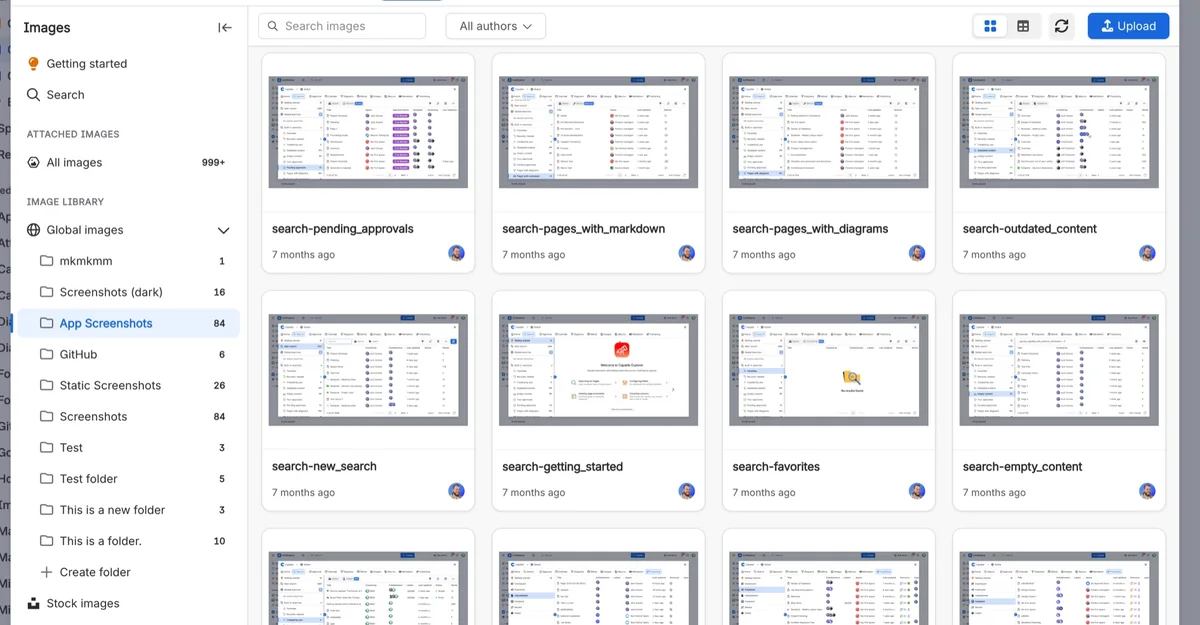
Each space has its own image library, and Global images serves the whole site. Make folders, upload or drag files in, or bring in page attachments. Your original file is kept exactly as uploaded.
- Space and global libraries
- Folders, names and descriptions
- Searchable
Insert a live reference, or a copy
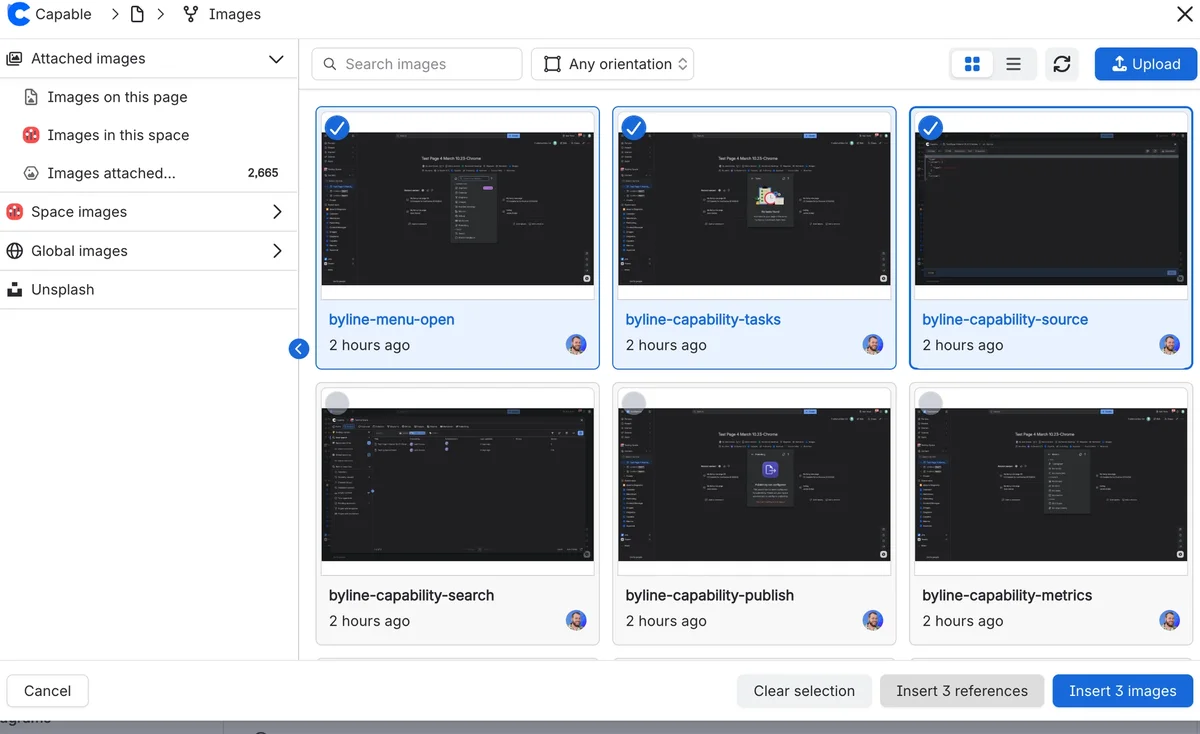
Pick images from the library and choose how they land: Image references stay linked to the library and show its latest version; ordinary Confluence images are copies that stay put and show in exports.
- Image reference macro
- Copies for exports and logged-out readers
Show a whole folder as a gallery
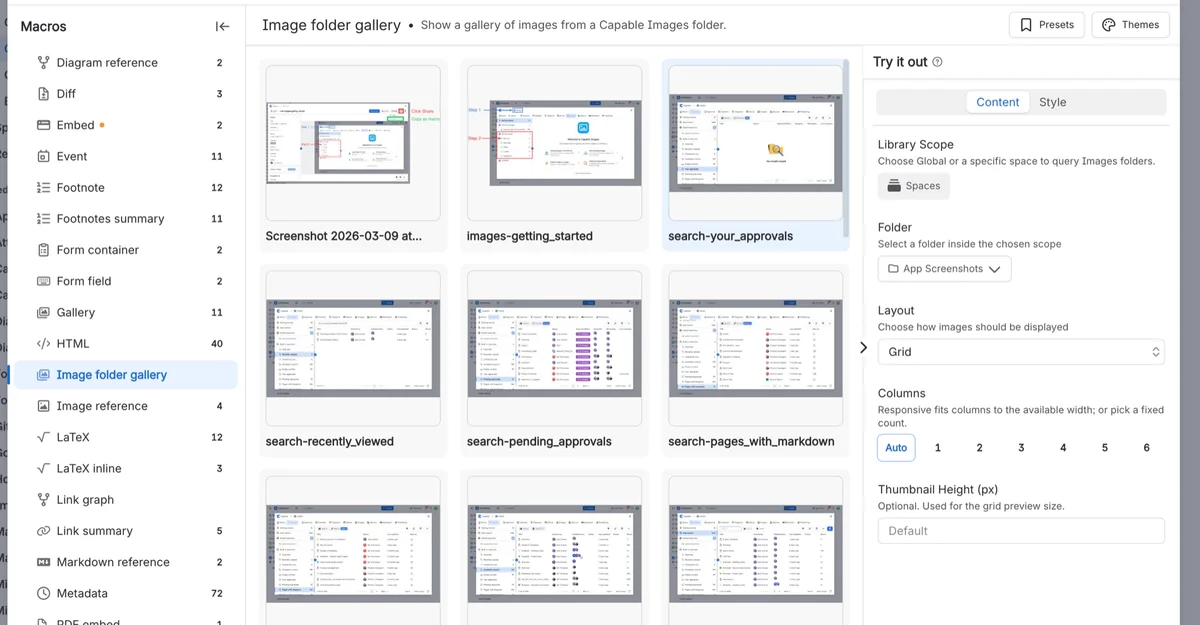
The Image folder gallery macro shows every image in a folder as a grid or a table. Clicking an image downloads the file.
- Grid or table
- Columns, gap, corners and shadow
Stock photos from Unsplash
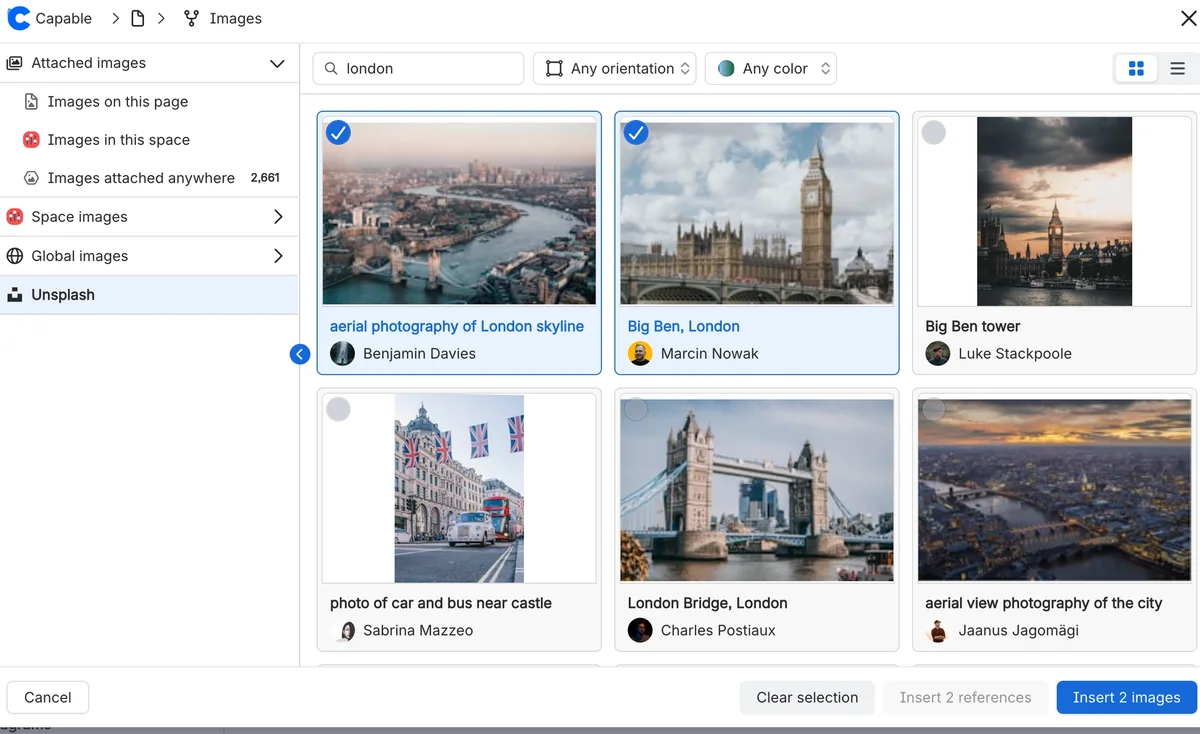
Search Unsplash from inside the library, with each photographer credited and filters for orientation and colour. Searches run through Capable rather than straight from your browser.
- Orientation and colour filters
- Inserted as copies
Photo details and where it’s used
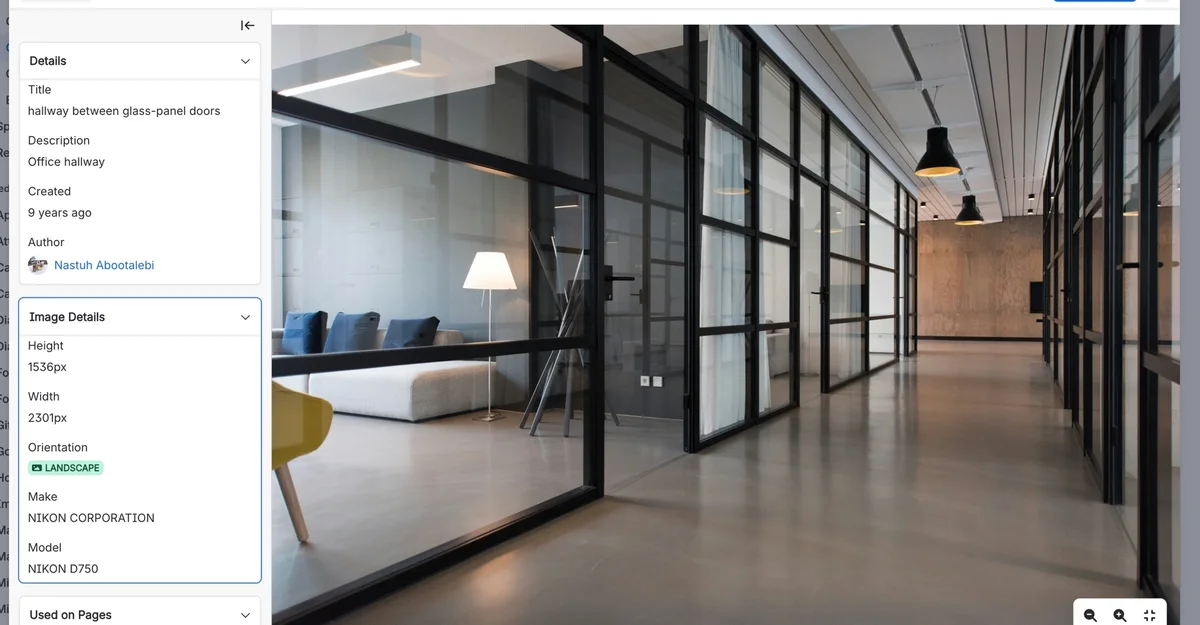
Each image keeps its size, orientation and camera details read from the file, its own version history, and a Used on Pages list of the pages that reference it.
- EXIF details
- Version history
- Used on Pages
Up and running in three steps
Step 1: Install
Install Images from the Atlassian Marketplace. The library appears under Apps in each space.
Get startedStep 2: Fill the library
Upload or drag images into a space library or Global images, or bring in page attachments and stock photos.
UploadStep 3: Insert and reuse
Insert images on pages as references or copies. When an image changes, upload a new version and the references follow.
Two insert modes


Where teams use it
Also in the All-in-One
Images is one of the capabilities in Capable for Confluence. In the suite, formatting macros and Markdown pick images straight from the same library.




Docs and guides
Short, current pages from help.gocapable.com.
- Get startedThe 26 things people actually do with Images, and the route to each.help.gocapable.com/images/get-started
- MacrosThe 3 macros Images ships, with every setting and its real default.help.gocapable.com/images/macros
- How it worksHow Images behaves: 15 behaviours worth understanding before you rely on them.help.gocapable.com/images/how-it-works
- Permissions and access9 symptoms in this family, each with the cause and what to do.help.gocapable.com/images/permissions-and-access
Questions, answered from the docs
Each answer links to the page it comes from.
If I update an image, does every page change?
Every page that shows it through an Image reference macro does: open the image in the library and upload a new version. Images inserted as ordinary Confluence images are copies, and keep the file they were given.
Source: Version an image in place
Should I insert a reference or a copy?
A reference stays linked to the library and always shows the latest version. A copy is an ordinary Confluence image that stays put, shows in exports and shows for logged-out readers. You choose each time you insert.
Source: Two insert modes
Can I see which pages use an image?
Yes. Each image’s detail view has a Used on Pages panel listing the pages that reference it, up to 25. It counts Image reference macros on indexed pages; copies and galleries aren’t counted.
Source: Used on Pages
Where are the images stored?
In your Confluence site. Each library image is its own piece of Confluence content with a title, a description and its own version history. The global library lives in a space called Capable Asset Store.
Source: Library images are Confluence content
Who can upload images?
It follows Confluence space permissions. Uploading to a space needs permission to add attachments and to add pages or blog posts there.
Source: Permissions and access
Which files can I upload?
Common image files display on pages. PDF, AI and PSD files can be uploaded and stored, but they aren’t displayed: the Image reference macro shows an Unsupported Format card for them.
Source: Version an image in place
Recognition
- FinalistAtlassian Partner of the Year 2026Cloud Transformation Apps
- Rising StarAtlassian Rising StarAtlassian Marketplace
- FinalistAtlassian Partner of the Year 2024–2025AI Innovator
- FinalistAtlassian Partner of the Year 2024–2025Teamwork Foundations Apps
- First PlaceAtlassian Codegeist 2024Teamwork Foundations · Capable Images

Give your images one home
Install Images for Confluence from the Atlassian Marketplace, or book a demo and we’ll show you round.