
Documents in Confluence
PDF for Confluence
Put a PDF straight onto a Confluence page so readers page through it without downloading anything. Nothing to sign in to, no account to connect.
- Built on Forge
- Confluence Cloud
Built on Atlassian Forge
A Confluence Cloud app on Atlassian’s own app platform.
How Capable apps are builtPermissions respected
Attachments are read in each reader’s own browser, with their Confluence permissions. Restricted files stay restricted.
Three ways to supply a PDF
Capable is used by teams at







Read PDFs on the page, not in a download
A proper viewer, three ways to supply the file, and two layouts.
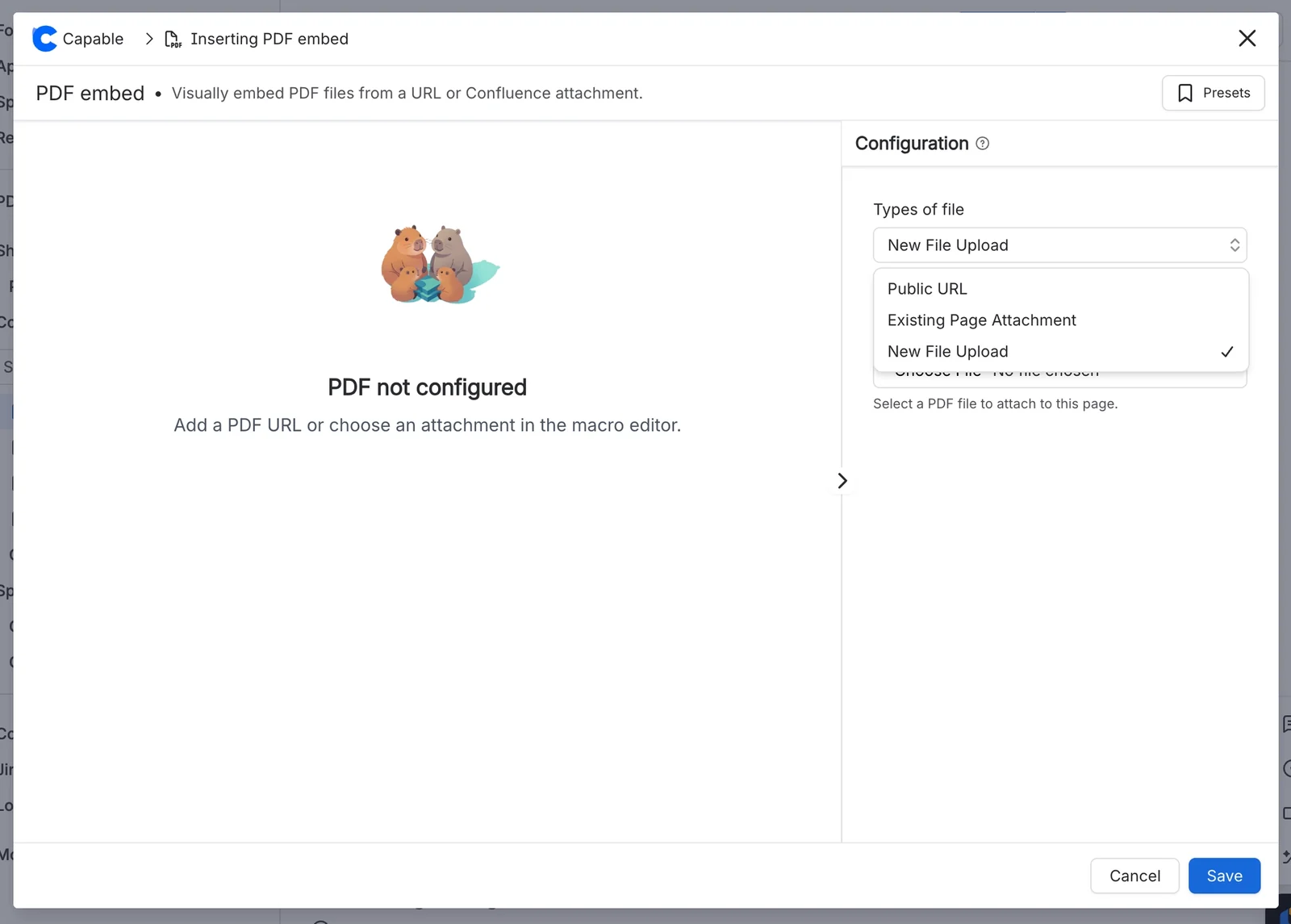
An attachment, an upload or a link
Embed a PDF already attached to the page, upload a new one from inside the macro editor, or point at a public web address. Linked PDFs come through Capable’s proxy, up to 2.5 MB; for bigger files, attach the PDF instead.
One page at a time, or one long scroll
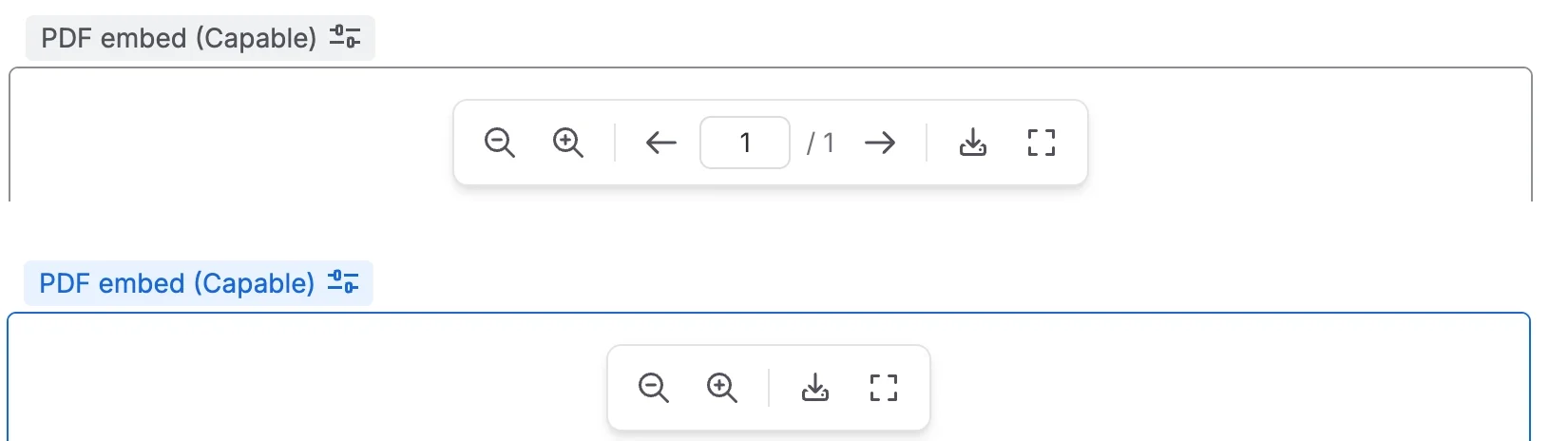
Slider shows one page at a time with previous and next buttons and a page-number box, and can open on the page you choose. Scroller shows every page in one scrolling column, which suits text-heavy documents.
A proper PDF viewer on the page
Readers get zoom, including pinch on trackpads and touch screens, and page navigation. You decide whether to add download, pop-out and fullscreen buttons, and whether to make the text selectable.
- Zoom from 20% to 200%
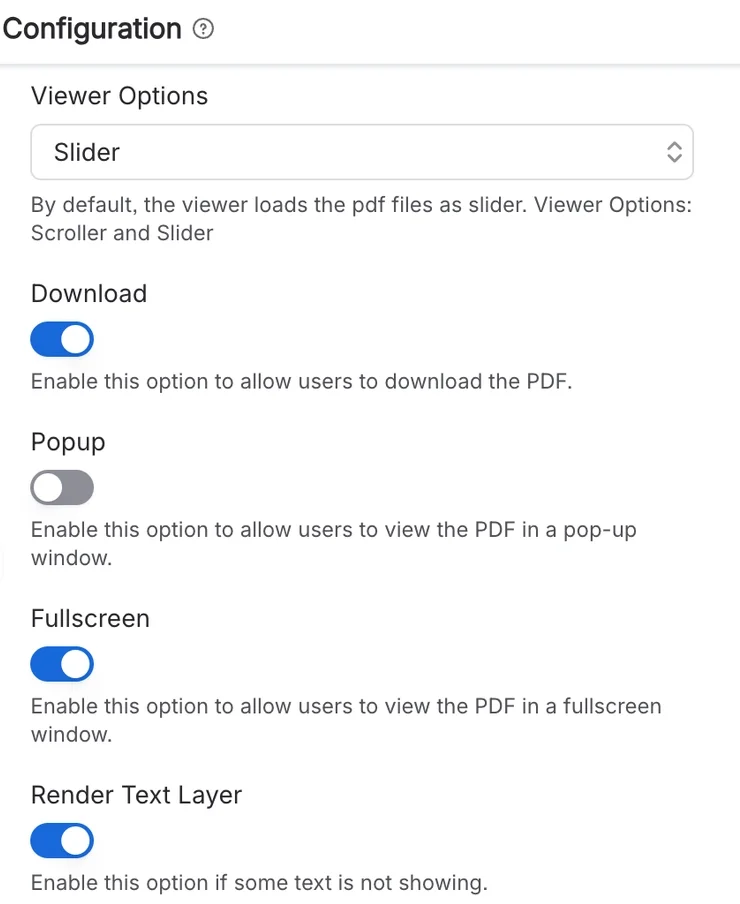
- Download, pop-out and fullscreen are off until you add them
Choose what readers can do
Switch on download, pop-out and fullscreen buttons one by one, and turn on the text layer when readers need to select or copy text.
Published sites keep the PDF
When a page is published to a Capable Site, the PDF is copied into the site and rendered there, so visitors can read it without signing in. Zoom, Slider page navigation and download carry over.
Add a PDF to a page
Pasting a PDF link doesn’t create the macro: you insert PDF embed, then give it a source. Try an attachment, a public link, or a linked file over the size limit, then change the viewer in the macro settings. The document is our own sample.
People team
Welcome pack
Everything new starters need in their first week. Read the handbook here, no download needed.
Add a PDF above, or pick a sample.
What teams say
Excerpts from public reviews on the Atlassian Marketplace.
Nice settings, especially love how smooth the scroller is
PaigeReview of PDF for Confluence, Sept 2022 (opens in a new tab)
Also in the All-in-One
PDF embed is a Standard-edition capability of Capable for Confluence, alongside diagrams, approvals, calendars and more, under one licence.




Questions, answered from the docs
Each answer links to the page it comes from.
Can logged-out visitors see an embedded PDF?
Not in Confluence. Signed-out readers never see the document, even on a public page; they see a “Sign in to view this PDF” or “PDF unavailable” message instead.
Source: Common tasks
Does an embedded PDF carry over to Capable Sites?
Yes. When a page is published to a Capable Site, the PDF is copied into the site and rendered there, so visitors can read it without signing in. Zoom, Slider page navigation and download carry over; pop-out, fullscreen and selectable text don’t.
Source: Capable Sites export
How large can a PDF be?
PDFs linked from a web address can be up to 2.5 MB, because they pass through Capable’s proxy. Attachments don’t go through the proxy and aren’t subject to that limit, so attaching the file is the reliable route for large documents.
Source: Limits
Does pasting a PDF link create the macro?
No. Insert the PDF embed (Capable) macro from the editor by typing / and searching for “PDF embed”, then add your link, attachment or upload.
Source: Common tasks
Does the embedded PDF appear in Confluence’s PDF or Word export?
No. Exporting a Confluence page to PDF or Word doesn’t render the embedded PDF.
Source: Capable Sites export
Is it included in Capable for Confluence (All-in-One)?
Yes. PDF embed is a Standard-edition capability of Capable for Confluence, and it’s also sold on its own.
Source: Capabilities
We use the earlier PDF for Confluence app. Does it keep working?
Yes. Existing installs of the earlier Connect app upgrade in place and keep working, with no account, sign-in or API key to set up.
Source: Common tasks
Docs and guides
Short, current pages from help.gocapable.com.
- What Capable PDF Embed isA PDF on a Confluence page, in a built-in viewer with zoom, page navigation and optional download, pop-out and fullscreen.help.gocapable.com/pdf-embed/what-capable-pdf-embed-is
- Three ways to supply a PDFA public web address, an existing page attachment, or a file uploaded from inside the macro editor.help.gocapable.com/pdf-embed/three-ways-to-supply-a-pdf
- Slider and Scroller layoutsOne page at a time with previous and next, or every page in one scrolling column.help.gocapable.com/pdf-embed/slider-and-scroller-layouts
- Capable Sites exportWhen a page is published to a Capable Site, the PDF is copied into the site and rendered there.help.gocapable.com/pdf-embed/capable-sites-export
- LimitsAll 8 limits, and what happens when you reach one.help.gocapable.com/pdf-embed/limits
Recognition
Stop asking people to download the PDF
Install PDF for Confluence from the Atlassian Marketplace, or get it with Capable for Confluence.