







Markdown for Jira

Add specs, notes and runbooks to Jira work items in Markdown, with a live preview, 17 templates and diagrams in code blocks. Each document is saved on the issue as a .md file.

  • Built on Forge

Works insideCloud

  • Built on Atlassian Forge

    Documents are .md attachments on the issue, under your Jira permissions.

    How it works
  • Nothing shown to anonymous viewers

    The panel and the documents list are only shown to people signed in to Jira.

    Anonymous viewers
  • Trust centre

    Security and privacy documents in one place.

    Visit trust.gocapable.com

Capable is used by teams at

Markdown where the work is tracked

Jira has no macros, so Markdown gets its own panel on the issue and its own page under Apps.

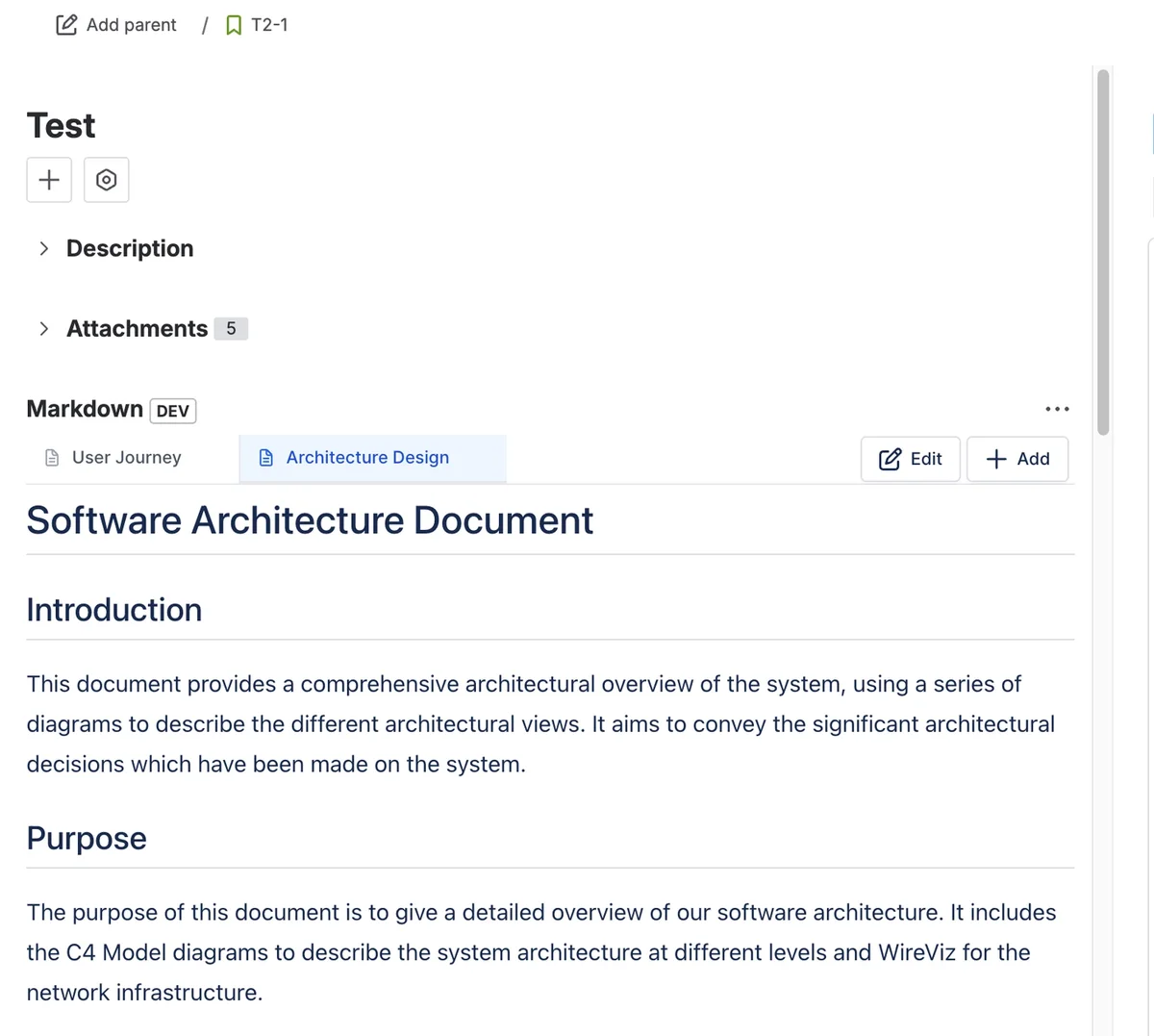
A Jira work item with the Markdown panel open, showing tabs for User Journey and Architecture Design and a rendered software architecture document.

A Markdown panel on the issue

The panel shows one tab per Markdown document on the issue, with a rendered preview, and Edit, Add, Sort and Delete controls. Pin it to show on every work item.

  • One tab per .md attachment
  • Refreshes when the issue changes

What it looks like on an issue

A story with its spec written in Markdown. Pick a number, or take the tour.

A Jira work item called Saved carts, with the Markdown panel showing a rendered spec with a task list.

3 things to notice

Add it from Apps

The apps button under the summary lists Markdown, which puts the panel on this work item. Pin it to every work item from the panel’s menu.

Markdown issue panel
1 of 3

One tab per document

Each Markdown document on the issue gets a tab with a rendered preview. Edit opens the full-screen editor; Add starts a new document.

Markdown issue panel
2 of 3

Saved as a .md file

Saving writes the document to the issue as a .md attachment, so it shows in Attachments and can be downloaded like any other file.

How it works
3 of 3

Try it on a sample issue

The editor works like this: Markdown on the left, the rendered document on the right. Pick a sample or start typing.

MarkdownBug report.mdSample issue

Steps to reproduce

  1. Add any item to the cart
  2. Tap Pay and wait for the timeout
  3. Tap Pay again

Expected

One order, and a clear message about the timeout.

Actual

Two orders are created. See the retry flow:

sequenceDiagram
  App->>API: POST /orders
  API--xApp: timeout
  App->>API: POST /orders (retry)
  API-->>App: 201 Created
  • Done: Reproduced on iOS
  • To do: Reproduced on Android

In Jira, open the Markdown panel on a work item, choose Add and write or paste this in.

Try it in Jira, free

What teams say

Excerpts from public reviews on the Atlassian Marketplace.

Why write Markdown on the issue

Why write Markdown on the issue: before and after
JobTodayWith Markdown
Structured descriptionsLong specs and runbooks squeezed into the issue description.Separate Markdown documents on the issue, each with its own tab, title and preview.Source: What Capable Markdown for Jira is
Content from other toolsMarkdown from a repository reformatted by hand for Jira.Paste the Markdown into the editor and it renders as written, tables and code blocks included.Source: Markdown editor
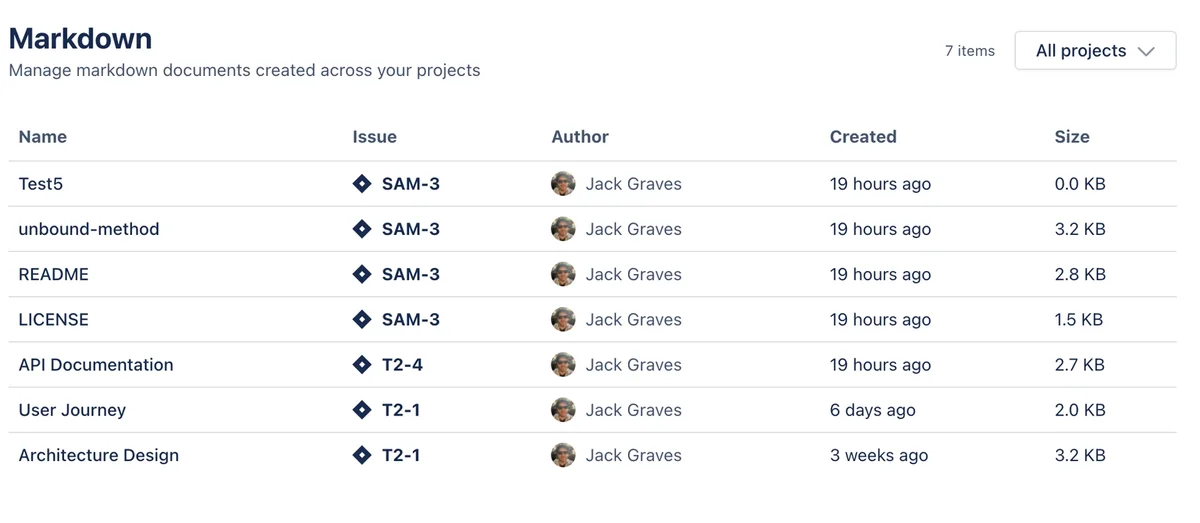
Finding documents laterNotes spread across tickets, with no way to see them together.One page under Apps lists every Markdown document across your projects.Source: Capable Markdown global page

Up and running in three steps

  1. Step 1: Install

    Install Markdown for Jira from the Atlassian Marketplace and approve its permissions.

    Get started
  2. Step 2: Add the panel

    On a work item, open the apps button under the summary and choose Markdown.

    Markdown issue panel
  3. Step 3: Write a document

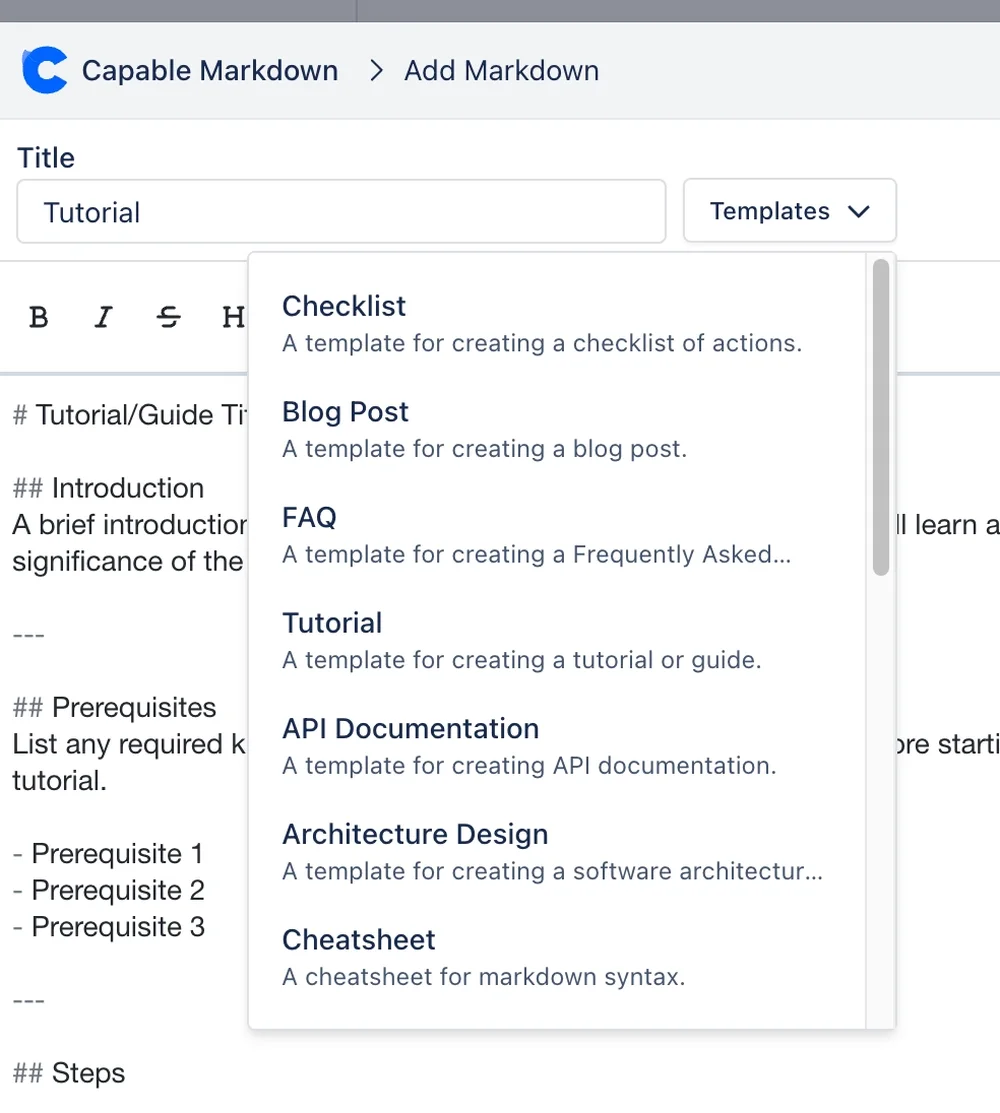
    Choose Add, give it a title, start from a template if you like, and save. It’s attached to the issue as a .md file.

    Markdown editor

Questions, answered from the docs

Each answer links to the page it comes from.

How do I add Markdown to a Jira issue?

Open the apps button under the work item summary and choose Markdown to add the panel. Then choose Add, write or pick a template, and save.
Source: Markdown issue panel

Where are Markdown documents stored?

As .md attachments on the issue. The panel shows one tab per .md attachment, including files attached through Jira’s own attachment control. Deleting a tab deletes the attachment.
Source: How it works

Which templates are included?

Seventeen built-in starters in three folders, including Checklist, Blog post, FAQ, Tutorial, API Documentation, Architecture Design, Process flow, Release notes and Meeting notes. Picking one replaces whatever is in the editor.
Source: Templates

Can I include diagrams?

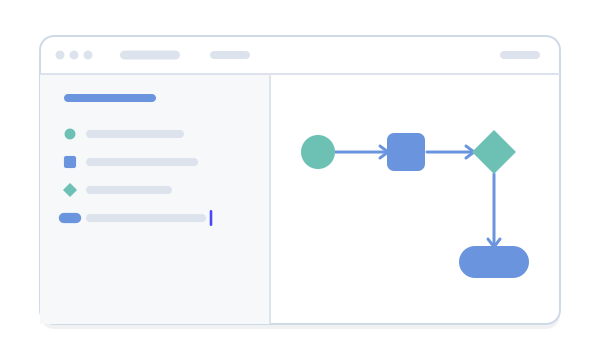
Yes. A fenced code block in one of 27 diagram languages, such as Mermaid, PlantUML, Graphviz or D2, renders as an image through Capable’s hosted diagram service for signed-in readers.
Source: Diagrams in fenced code blocks

Can I add images?

By URL. There’s no image upload from the editor, and relative image paths inside a document can’t resolve in Jira.
Source: Markdown editor

Is it part of the Capable suite?

No. The Capable suite is Confluence-only, and Markdown for Jira is its own app. It has no macros, version history or AI drafting: those belong to the Confluence side.
Source: What is not available

Write your first spec in Jira

Install Markdown for Jira from the Atlassian Marketplace and add the Markdown panel to a work item.

Cookie Settings

We take good care of you and your data. You can read more about how we use cookies, the third parties who set cookies and update your cookie settings here.