
Part of Capable for Confluence
Variables for Confluence
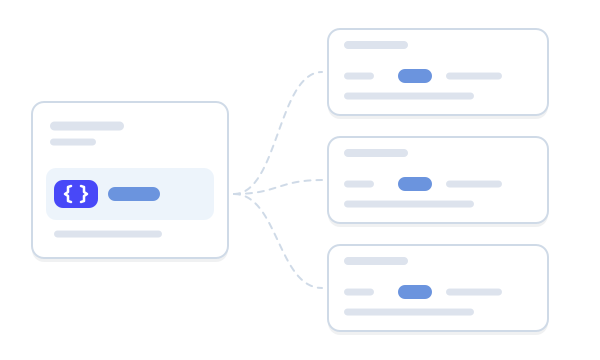
Define a version number, date, price or owner once and show it inline on any Confluence page. Change it in one place and every page follows.
- Built on Forge
- Advanced edition
Works inside Cloud
Built on Atlassian Forge
Variables follow your Confluence space permissions, trash and version history.
Space and global variables
Capable is used by teams at







Update it once, not on every page
Version numbers, prices, dates and contacts get copied onto every page that mentions them, then go out of date one page at a time. Four jobs Variables takes over.
| Job | Today | With Variables |
|---|---|---|
| Keeping a fact current | On release day someone hunts down every mention of the old version and edits each page by hand. | The value lives in one variable. Change it once and every page shows the new value the next time it loads.Source: Show the same value on many pages |
| Pages that agree | Copies drift. One page says 4.2, another still says 4.1, and readers can’t tell which is right. | Every page reads the same variable, so they can’t disagree. Version history shows what it said before.Source: Edit access and version history |
| Knowing where it’s used | Searching page text and hoping you found every copy, including the ones written differently. | The variable’s details say how many pages use it, and open Capable Search filtered to exactly those pages.Source: Capable Search |
| Who can change it | Anyone who can edit a page can change the figure on it. | Limit editing of a variable to named people or groups. Everyone else can still read it and use it on their pages.Source: Edit access and version history |
Hands-on
Change it once
Pick a variable, give it a new value and save. Every sample page that shows it changes together, and Version history keeps the old value.
Install Vitafleet
Download Vitafleet 4.2 from the customer portal.
Stuck? Priya Shah looks after installs.
Release notes
Vitafleet 4.2 is the current release.
The next release ships on 14 Nov 2026.
Support home
Supported version: 4.2 and later.
Next release 14 Nov 2026 · Escalations go to Priya Shah.
Readers see each value as ordinary text, and renaming a variable never breaks a page.
What Variables does
Pick one to see it.
Values that read as ordinary text
Type /variable where the value belongs and pick one, or add it from Variables in the page byline. Readers see plain text in the sentence, never the variable’s name.
- Renaming a variable never breaks a page
- No limit on how many pages show it
Four types, for one space or every space
Text, Number, User and Date. Keep a space variable for one team’s pages, or a global variable that any page in any space can use, such as a support number the whole company quotes.
- Dates read the same everywhere, like 14 Oct 2026
- People show by name for each reader
Every page that shows it, one click away
The variable’s details show Used on N pages, which opens Capable Search filtered to those pages. Search also adds a Variable filter, and a side panel listing the values on any page.
- Saved searches survive a rename
- Counts only pages you can see
In exports and on published sites
PDF and Word exports show each value as plain text. Capable Sites publishes Text, Number and Date values from the spaces it publishes and from global variables; publish the site again to pick up a change.
- User values stay in Confluence
- Exports keep the value they were made with
Up and running in three steps
Step 1: Install the All-in-One
Variables comes with Capable for Confluence on the Advanced edition. Install it from the Atlassian Marketplace.
EditionsStep 2: Create a variable
Open Apps, then Capable, then Variables. Select Create and give it a name, a type and a value.
Variables catalogueStep 3: Place it on your pages
Type /variable on each page where the value belongs. When it changes, edit the variable and every page follows.
Show the same value on many pages



Where teams use it
Anything quoted on many pages that changes now and then.
Teams
Comes with the All-in-One
Variables comes with Capable for Confluence on the Advanced edition, alongside Quality and Sites. The same licence also covers diagrams, approvals, calendars and search.



Docs and guides
Short, current pages from help.gocapable.com.
- What Capable Variables isTyped values kept in a space or globally, shown inline on any page and changed in one place.help.gocapable.com/variables/what-capable-variables-is
- Space and global variablesWhich pages can use a variable, and who can create one, in each scope.help.gocapable.com/variables/space-and-global-variables
- Variable types and valuesText, Number, User and Date, what each accepts, and how pages show it.help.gocapable.com/variables/variable-types-and-values
- Show the same value on many pagesPut a product version on every release page and change it in one place on release day.help.gocapable.com/variables/show-the-same-value-on-many-pages
Questions, answered from the docs
Each answer links to the page it comes from.
How do I get Variables?
Variables comes with Capable for Confluence and needs the Advanced edition. It isn’t sold as a separate app.
Source: Editions and availability
What happens to pages when I change a value?
They show the new value the next time they load, including pages you can’t edit yourself. They get no new version and watchers aren’t notified, so tell people another way if they need to know.
Source: Details sidebar
Can I keep a value private?
No. Anyone who can view the space that holds a variable can read its value, find it in search and see its past values. Restrictions only limit editing. Never store secrets in a variable.
Source: Who can see a value
Will renaming a variable break pages?
No. Every page that shows the variable keeps showing its value after a rename.
Source: Variable types and values
Can I use a variable from another space?
Not a space variable. Create it as a global variable instead, and any page in any space can use it.
Source: Space and global variables
Can I undo a change?
There’s no restore button, but Version history lists every past value with who saved it and when. Copy the one you want and save it as the current value.
Source: Edit access and version history
What happens if we move from Advanced to Standard?
Nothing breaks. Pages keep showing their values; you can no longer create variables or choose a different one in a macro.
Source: Editions and availability
Recognition

Try Variables in the All-in-One
Install Capable for Confluence from the Atlassian Marketplace, or book a demo and we’ll show you round.